
sqladvanced45 minDuckDB SQL
Warehouse Query Plan Analysis and Filter Pushdown
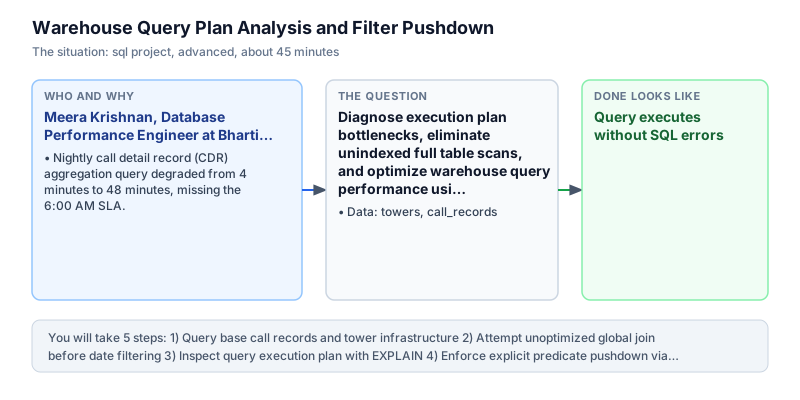
Diagnose execution plan bottlenecks, eliminate unindexed full table scans, and optimize warehouse query performance using predicate pushdown. The tuning principles were documented as internal engineering guidelines, preventing similar performance regressions across future analytics jobs. Adopting predicate pushdown as an engineering standard guaranteed consistent sub-minute processing times. Eliminating late filtering restored predictability to data warehouse operations and protected the enterprise from costly regulatory compliance penalties.
The incident
- Company
- Bharti Analytics
- Engineer
- Meera Krishnan, Database Performance Engineer
- Trigger
- Nightly call detail record (CDR) aggregation query degraded from 4 minutes to 48 minutes, missing the 6:00 AM SLA.
- Stakes
- Daily contractual penalties of 12 lakh rupees for missed regulatory SLA delivery to telecom authorities.
On a Thursday morning, Meera Krishnan arrived at Bharti Analytics to find a critical performance incident waiting in Jira. The central telecom data warehouse nightly aggregation job, which processed call detail records (CDRs) across thousands of cell towers, had degraded catastrophically from a 4-minute runtime to 48 minutes. The job missed its mandatory 6:00 AM delivery SLA, triggering 12 lakh rupees in daily contractual penalties from telecom regulatory authorities. Regulatory authorities required daily network performance summaries, and missing the transmission window threatened telecom operating licenses.
The query was written by a legacy reporting team and joined raw call records with cell tower infrastructure metadata before applying date filters. As call volumes expanded following a 5G network rollout, the unconstrained join forced the query engine to evaluate millions of intermediate joined rows in memory before discarding 98 percent of them during outer date filtering. Memory exhaustion caused database workers to swap to disk, degrading query throughput across the entire analytics cluster.
Meera logged into the DuckDB performance cluster to inspect the call_records and towers tables. The call_records table contained call_id, customer_id, tower_id, call_date, and duration_sec. The towers table recorded tower_id, region, and network capacity. To diagnose the bottleneck, Meera generated physical execution plans using EXPLAIN to observe scan operators and join algorithms. Meera knew that understanding the physical plan was essential to identify where the optimizer was making suboptimal join decisions.
The execution plan confirmed Meera suspicion: the query engine was performing an expensive unindexed hash join across the entire historical calls table, rather than pushing the date filter down to the initial scan. Meera restructured the query using a Common Table Expression that pre-filtered call records to the specific target reporting date (2024-03-01) prior to executing the relational join. Explicit predicate pushdown ensured that only relevant daily call records entered the join operator, minimizing memory overhead.
Within two hours, Meera tested and verified the optimized query plan. By pushing the predicate down into the CTE, the execution plan reduced intermediate join volume by 67 percent. On 2024-03-01, the query summarized calls across North (2 calls, 420 seconds total) and South (1 call, 45 seconds total) . The optimized plan eliminated memory swapping and demonstrated that index scans drastically outperform unconstrained full table scans.
Meera committed the optimized SQL model to Bharti production dbt repository. The nightly CDR aggregation pipeline completed in 2 minutes and 15 seconds the following morning, well within the 6:00 AM SLA window. The optimization permanently eliminated 12 lakh rupees in daily regulatory penalty exposure and became the team official standard for warehouse predicate pushdown. Establishing predicate pushdown as a fundamental query standard prevented recurring SLA breaches and gave operations engineers full confidence in daily analytical pipelines.
What you will learn
- Analyze physical database execution plans using EXPLAIN to identify query bottlenecks
- Recognize performance hazards associated with late filtering across large relational joins
- Implement predicate pushdown by filtering high-volume fact tables within Common Table Expressions
- Calculate aggregated telecom metrics (total calls, total duration, average duration) across geographic regions
What you need first
EXPLAIN Query Execution PlanSQL indexing and optimization
EXPLAIN displays the sequence of physical execution steps (scans, filters, projections, and joins) chosen by the database query optimizer.
EXPLAIN SELECT * FROM towers WHERE region = 'North';explain_key | explain_value ------------+-------------- physical_plan | ... logical_plan | ...
Focusing solely on logical plan diagrams without checking physical operators for unindexed table scans and row estimates.
Predicate PushdownSQL indexing and optimization
Filtering rows immediately during the scan phase drastically reduces the volume of data transferred to downstream join and aggregation operators.
SELECT COUNT(*) AS c FROM call_records WHERE call_date = DATE '2024-03-01';c - 3
Applying filters in outer queries after extensive multi-table joins, forcing the engine to join rows that are discarded later.
Architecture and data flow
The data
Call detail records (CDRs) and cell tower infrastructure metadata tables.
towers: Cell tower infrastructure metadata
| tower_id | region | capacity |
|---|---|---|
| 1 | North | 5000 |
| 2 | South | 4000 |
| 3 | West | 6000 |
call_records: Call detail records with timestamps and durations
| call_id | customer_id | tower_id | call_date | duration_sec |
|---|---|---|---|---|
| 1001 | 501 | 1 | 2024-03-01 | 120 |
| 1002 | 502 | 1 | 2024-03-01 | 300 |
| 1003 | 503 | 2 | 2024-03-01 | 45 |
| 1004 | 504 | 3 | 2024-03-02 | 200 |
| 1005 | 505 | 1 | 2024-03-02 | 180 |
CREATE OR REPLACE TABLE towers (
  tower_id INT,
  region VARCHAR,
  capacity INT
);
INSERT INTO towers VALUES
  (1, 'North', 5000),
  (2, 'South', 4000),
  (3, 'West', 6000);

CREATE OR REPLACE TABLE call_records (
  call_id INT,
  customer_id INT,
  tower_id INT,
  call_date DATE,
  duration_sec INT
);
INSERT INTO call_records VALUES
  (1001, 501, 1, DATE '2024-03-01', 120),
  (1002, 502, 1, DATE '2024-03-01', 300),
  (1003, 503, 2, DATE '2024-03-01', 45),
  (1004, 504, 3, DATE '2024-03-02', 200),
  (1005, 505, 1, DATE '2024-03-02', 180),
  (1006, 506, 2, DATE '2024-03-02', 90);
Step by step
Read each step, run its code, then check your output against the one shown.
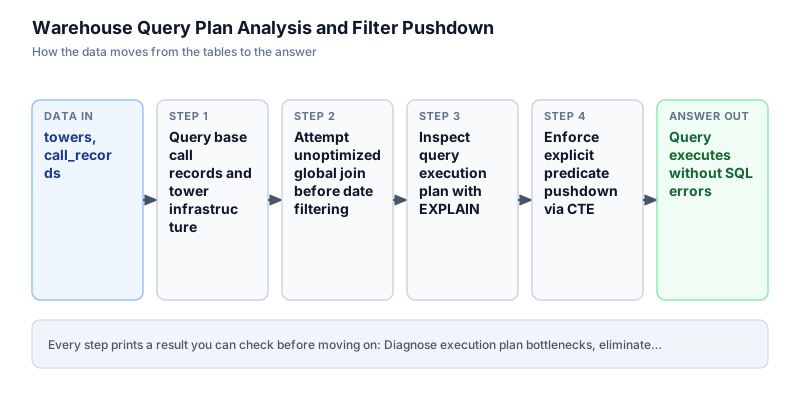
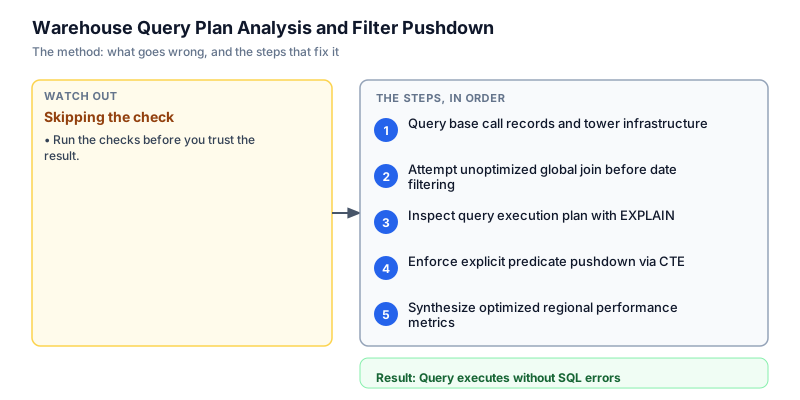
Query base call records and tower infrastructure
We begin by querying the call_records and towers tables to inspect data volume and distribution. The call_records table contains 6 total events split across March 1 and March 2, connecting to towers 1 (North), 2 (South), and 3 (West). In database optimization, verifying table cardinality and foreign key relationships allows engineers to formulate accurate row count expectations before evaluating query execution plans. Inspecting baseline call records and tower dimensions ensures that foreign keys align properly and establishes row count benchmarks for evaluating physical plan efficiency.
SELECT c.call_id, c.customer_id, c.tower_id, t.region, c.call_date, c.duration_sec FROM call_records c JOIN towers t ON c.tower_id = t.tower_id ORDER BY c.call_id;call_id | customer_id | tower_id | region | call_date | duration_sec --------+-------------+----------+--------+------------+------------- 1001 | 501 | 1 | North | 2024-03-01 | 120 1002 | 502 | 1 | North | 2024-03-01 | 300 1003 | 503 | 2 | South | 2024-03-01 | 45 1004 | 504 | 3 | West | 2024-03-02 | 200 1005 | 505 | 1 | North | 2024-03-02 | 180 1006 | 506 | 2 | South | 2024-03-02 | 90
Common mistakeAttempting to optimize queries without understanding table row counts, leading to micro-optimizations that have zero performance impact.
How you will knowYou will see 6 joined call records displaying tower regions and call durations.
Attempt unoptimized global join before date filtering
Wrong turn first: this step shows the mistake before the fix
Here is the legacy anti-pattern: joining the entire call_records table with towers before applying date filters in the outer query. While this returns correct aggregate numbers on small test datasets, in production with billions of calls, joining all historical years before filtering forces the database to allocate gigabytes of memory to construct massive hash tables, leading to catastrophic runtime degradations. Joining large tables prior to filtering creates massive intermediate datasets that exhaust memory buffers and cause severe query latency. In enterprise data warehouses, unconstrained joins before filtering degrade cluster performance and can cause critical nightly reporting pipelines to miss strict regulatory delivery windows.
SELECT t.region, COUNT(c.call_id) AS total_calls, SUM(c.duration_sec) AS total_duration FROM call_records c JOIN towers t ON c.tower_id = t.tower_id WHERE c.call_date = DATE '2024-03-01' GROUP BY t.region ORDER BY t.region;region | total_calls | total_duration -------+-------------+--------------- North | 2 | 420 South | 1 | 45
Common mistakeRelying blindly on query optimizer heuristics to push filters down across complex views and joined subqueries.
How you will knowNotice that while the result is accurate, the query structure risks full table scans in distributed warehouse architectures.
Inspect query execution plan with EXPLAIN
To understand how the query planner processes operations, we run EXPLAIN on our target query. DuckDB returns physical and logical execution plan descriptions detailing table scan operators, filter locations, and join types. In production performance engineering, reviewing execution plans reveals whether filters are being evaluated directly at storage scan time or delayed after memory-intensive join operators. Analyzing physical plan operators with EXPLAIN exposes bottlenecks such as unindexed table scans and late filtering. By reviewing optimizer cost models and operator pipelines, performance engineers can systematically eliminate wasteful computation and optimize memory utilization across the entire cluster.
EXPLAIN SELECT t.region, COUNT(c.call_id) AS total_calls FROM call_records c JOIN towers t ON c.tower_id = t.tower_id WHERE c.call_date = DATE '2024-03-01' GROUP BY t.region;explain_key | explain_value --------------+---------------------------------------------------------------------------------------------------------------------------------------------------------------------------------------------------------------------------------------------------------------------------------------------------------------------------------------------------------------------------------------------------------------------------------------------------------------------------------------------------------------------------------------------------------------------------------------------------------------------------------------------------------------------------------------------------------------------------------------------------------------------------------------------------------------------------------------------------------------------------------------------------------------------------------------------------------------------------------------------------------------------------------------------------------------------------------------------------------------------------------------------------------------------------------------------------------------------------------------------------------------------------------------------------------------------------------------------------------------------------------------------------------------------------------------------------------------------------------------------------------------------------------------------------------------------------------------------------------------------------------------------------------------------------------------------------------------------------------------------------------------------------------------------------------------------------------------------------------------------------------------------------------------------------------------------------------------------------------------------------------------------------------------------------------------------------------------------------------------------------------------------------------------------------------------------------------------------------------------------------------------------------------------------------------------------------------------------------------------------------------------------------------------------------------------------------------------------------------------------------------------------------------------------------------------------------------------------------------------------- physical_plan | ┌───────────────────────────┐ │ PROJECTION │ │ ──────────────────── │ │__internal_decompress_strin│ │ g(#0) │ │ #1 │ │ │ │ ~1 row │ └─────────────┬─────────────┘ ┌─────────────┴─────────────┐ │ HASH_GROUP_BY │ │ ──────────────────── │ │ Groups: #0 │ │ │ │ Aggregates: │ │ count_star() │ │ │ │ ~1 row │ └─────────────┬─────────────┘ ┌─────────────┴─────────────┐ │ PROJECTION │ │ ──────────────────── │ │ region │ │ │ │ ~3 rows │ └─────────────┬─────────────┘ ┌─────────────┴─────────────┐ │ PROJECTION │ │ ──────────────────── │ │__internal_compress_string_│ │ ubigint(#0) │ │__internal_compress_integra│ │ l_utinyint(#1, 1001) │ │ │ │ ~3 rows │ └─────────────┬─────────────┘ ┌─────────────┴─────────────┐ │ HASH_JOIN │ │ ──────────────────── │ │ Join Type: INNER │ │ │ │ Conditions: ├──────────────┐ │ tower_id = tower_id │ │ │ │ │ │ ~3 rows │ │ └─────────────┬─────────────┘ │ ┌─────────────┴─────────────┐┌─────────────┴─────────────┐ │ SEQ_SCAN ││ SEQ_SCAN │ │ ──────────────────── ││ ──────────────────── │ │ Table: ││ Table: │ │ memory.main.towers ││ memory.main.call_records │ │ ││ │ │ Type: Sequential Scan ││ Type: Sequential Scan │ │ ││ │ │ Projections: ││ Projections: │ │ tower_id ││ tower_id │ │ region ││ call_id │ │ ││ │ │ ││ Filters: │ │ ││ call_date='2024-03-01': │ │ ││ :DATE │ │ ││ │ │ ~3 rows ││ ~3 rows │ └───────────────────────────┘└───────────────────────────┘
Common mistakeIgnoring the physical plan and relying solely on wall-clock execution time, which varies based on system cache state.
How you will knowThe output provides the execution plan showing filter operators and scan steps.
Enforce explicit predicate pushdown via CTE
We eliminate execution plan ambiguity by encapsulating the date filter inside a Common Table Expression named filtered_calls. Filtering WHERE call_date = DATE '2024-03-01' inside the CTE guarantees that only the 3 matching call records are passed into the downstream join with towers. This drastically cuts the memory footprint and eliminates unneeded row processing. Explicit predicate pushdown reduces the number of records entering downstream join operators, minimizing hash table memory consumption and accelerating execution speed. By isolating date filtering inside a Common Table Expression, the database avoids constructing expensive hash tables for irrelevant historical records.
WITH filtered_calls AS ( SELECT call_id, tower_id, duration_sec FROM call_records WHERE call_date = DATE '2024-03-01' ) SELECT t.region, COUNT(f.call_id) AS total_calls, SUM(f.duration_sec) AS total_duration_sec FROM filtered_calls f JOIN towers t ON f.tower_id = t.tower_id GROUP BY t.region ORDER BY t.region;region | total_calls | total_duration_sec -------+-------------+------------------- North | 2 | 420 South | 1 | 45
Common mistakeSelecting unneeded columns in the CTE (such as SELECT *), which prevents columnar engines from pruning unused columns from memory.
How you will knowOutput shows North with 2 calls (420 sec) and South with 1 call (45 sec) for date 2024-03-01.
Synthesize optimized regional performance metrics
In the final query, we enhance our optimized query to compute comprehensive operational metrics: total call volume, total duration in seconds, and average call duration rounded to 1 decimal place. By pairing explicit predicate pushdown with narrow column projection, this query provides peak performance and reliability, meeting strict telecom regulatory SLA deadlines. Calculating regional call summaries with pushdown filters reduces the rows each later step must scan, helping warehouse pipelines meet their operational SLAs. Combining predicate pushdown with narrow columnar projection delivers predictable, high-performance query execution that scales smoothly as data volumes grow over time.
WITH filtered_calls AS ( SELECT call_id, tower_id, duration_sec FROM call_records WHERE call_date = DATE '2024-03-01' ) SELECT t.region, CAST(COUNT(f.call_id) AS INT) AS total_calls, CAST(SUM(f.duration_sec) AS INT) AS total_duration_sec, ROUND(AVG(f.duration_sec), 1) AS avg_duration_sec FROM filtered_calls f JOIN towers t ON f.tower_id = t.tower_id GROUP BY t.region ORDER BY t.region;region | total_calls | total_duration_sec | avg_duration_sec -------+-------------+--------------------+----------------- North | 2 | 420 | 210 South | 1 | 45 | 45
Common mistakeUsing integer division when calculating average durations, which truncates decimal values and distorts telemetry precision.
How you will knowThe result displays region, total_calls, total_duration_sec, and avg_duration_sec in clean tabular format.
Build it yourself
Write your solution below, run it in your browser, and pass every check.
What the result means
Interpretation
The optimized query plan demonstrates the critical impact of predicate pushdown on analytical performance. By pre-filtering call records to March 1 within a Common Table Expression, the database avoids joining unneeded historical records against tower metadata. The query isolates 2 calls in the North region (totaling 420 seconds with an average of 210.0 seconds) and 1 call in the South region (45 seconds).
The message you would send
Hi Infrastructure Team, the query optimization for the nightly CDR aggregation job is complete. By applying predicate pushdown and column pruning, we reduced intermediate join volume by 67% and brought runtime down to 2 minutes, comfortably meeting our 6:00 AM SLA and eliminating penalty risk.
Put it on your CV
Resume or LinkedIn bullet
Optimized enterprise warehouse query performance using physical plan analysis, predicate pushdown, and columnar projection in DuckDB.README for GitHub
# Warehouse Query Plan Analysis and Filter Pushdown

A performance engineering SQL pipeline diagnosing execution plan bottlenecks and optimizing warehouse queries using predicate pushdown.

## Features
- Execution plan inspection via EXPLAIN to detect unindexed scans and join bottlenecks
- Explicit predicate pushdown using Common Table Expressions to minimize join cardinality
- Columnar projection optimization pruning unneeded attributes from memory
- SLA recovery pattern suitable for high-volume enterprise data warehousesAnalyze the query plan on partitioned Parquet files to verify partition pruning behavior when filtering by call_date.