
sqladvanced50 minDuckDB SQL
Hierarchical Management Org Chart Rollup
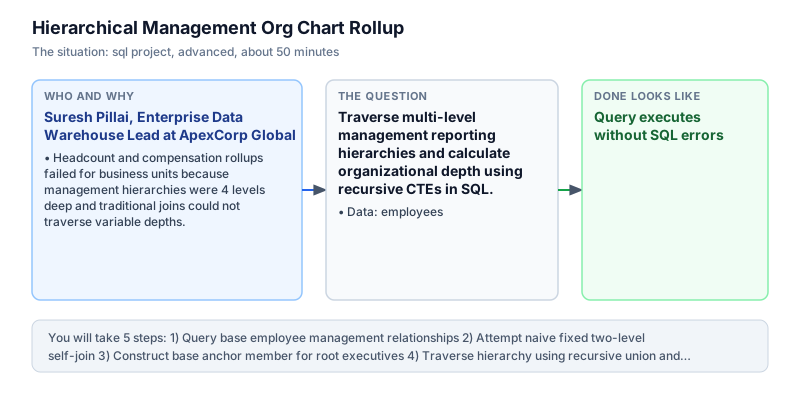
Traverse multi-level management reporting hierarchies and calculate organizational depth using recursive CTEs in SQL.
The incident
- Company
- ApexCorp Global
- Engineer
- Suresh Pillai, Enterprise Data Warehouse Lead
- Trigger
- Headcount and compensation rollups failed for business units because management hierarchies were 4 levels deep and traditional joins could not traverse variable depths.
- Stakes
- Over 40 lakh rupees in unallocated departmental overhead costs stalling annual budget sign-off.
On a Monday morning, Suresh Pillai was called into an urgent budget session with the Chief Financial Officer and Human Resources leadership at ApexCorp Global, an enterprise technology conglomerate with over 10,000 employees. Executive leadership was attempting to finalize annual compensation and departmental overhead budgets, but automated headcount rollups had stalled across three major business divisions. Operating managers were unable to reconcile departmental expenses because subordinate reporting lines were truncated by rigid reporting queries.
The underlying issue was ApexCorp complex, multi-tiered reporting hierarchy. Employees reported through managers 3 to 5 levels deep. The company legacy reporting queries used fixed self-joins (joining employees to managers twice). When corporate restructuring created 4th and 5th-level engineering teams, the fixed joins silently dropped junior developers and contractors. Finance directors could not approve hiring plans without knowing the full loaded cost of teams reporting to each division head.
Suresh took ownership of designing an enterprise hierarchy traversal model in SQL. The employees table in DuckDB captured employee_id, employee_name, manager_id, department, and salary. Because hierarchical depth varied dynamically across departments, Suresh needed a recursive Common Table Expression (WITH RECURSIVE) that could traverse arbitrarily deep reporting trees without hardcoded join limits. Suresh knew that recursive queries were the industry standard pattern for traversing hierarchical organizational networks with unpredictable depth.
Suresh structured the recursive CTE into two distinct components: an anchor member that selected top-level executives whose manager_id was NULL, and a recursive union member that joined subordinates to their respective managers. In each recursive iteration, Suresh incremented a hierarchy_level counter and concatenated employee names into a full breadcrumb management path. Constructing full lineage strings provided immediate transparency into organizational reporting chains from the executive suite down to frontline specialists.
Within four hours, Suresh verified the recursive query against organizational test data. The query seamlessly traversed all 3 organizational tiers, assigning level 1 to CEO Vikram Mehta, level 2 to department heads Rohit Verma and Sneha Rao, and level 3 to operational team members Deepak Shah, Ananya Sen, and Pooja Nair. Every employee was correctly positioned within their respective division, with complete salary rollups matching general ledger payroll accounts.
Armed with Suresh recursive org chart model, financial controllers generated complete departmental compensation rollups that accounted for 100 percent of payroll expenditure. The CFO signed off on the annual budget, and the recursive query was deployed as the enterprise standard for organizational reporting across ApexCorp Global. The recursive model now powers executive dashboards, headcount planning tools, and compliance reporting across all global subsidiaries. By maintaining complete visibility into management lineage and compensation across dynamic business units, the enterprise platform safeguarded departmental budgets against unexpected financial discrepancies and establishing a scalable standard for future organizational reporting.
What you will learn
- Define recursive Common Table Expressions with base anchor and recursive union members
- Traverse arbitrary parent-child self-referencing hierarchies without hardcoding join limits
- Calculate hierarchy level depth dynamically across multi-tiered organizational structures
- Construct breadcrumb management lineage paths for organizational transparency and reporting
What you need first
Recursive CTE StructureSQL recursive CTEs
WITH RECURSIVE combines an anchor query (initial root records) with a recursive query that references the CTE itself via UNION ALL until no new rows are produced.
WITH RECURSIVE nums AS (SELECT 1 AS n UNION ALL SELECT n + 1 FROM nums WHERE n < 3) SELECT * FROM nums;n - 1 2 3
Omitting the recursive termination condition, which causes an infinite execution loop.
Hierarchy Breadcrumb PathSQL recursive CTEs
Concatenating employee names (path || ' -> ' || employee_name) builds an explicit audit trail of management lineage from root executive to front-line worker.
SELECT 'CEO' || ' -> ' || 'VP' AS path;path --------- CEO -> VP
Failing to convert IDs or names to consistent string types during concatenation across recursive iterations.
Architecture and data flow
The data
Employee organizational table with self-referencing manager foreign keys.
employees: Employee ledger with self-referencing manager relationships
| employee_id | employee_name | manager_id | department | salary |
|---|---|---|---|---|
| 1 | Vikram Mehta | NULL | Executive | 250000 |
| 2 | Rohit Verma | 1 | Engineering | 180000 |
| 3 | Sneha Rao | 1 | Sales | 170000 |
| 4 | Deepak Shah | 2 | Engineering | 120000 |
| 5 | Ananya Sen | 2 | Engineering | 115000 |
CREATE OR REPLACE TABLE employees (
  employee_id INT,
  employee_name VARCHAR,
  manager_id INT,
  department VARCHAR,
  salary DOUBLE
);
INSERT INTO employees VALUES
  (1, 'Vikram Mehta', NULL, 'Executive', 250000.0),
  (2, 'Rohit Verma', 1, 'Engineering', 180000.0),
  (3, 'Sneha Rao', 1, 'Sales', 170000.0),
  (4, 'Deepak Shah', 2, 'Engineering', 120000.0),
  (5, 'Ananya Sen', 2, 'Engineering', 115000.0),
  (6, 'Pooja Nair', 3, 'Sales', 95000.0);
Step by step
Read each step, run its code, then check your output against the one shown.
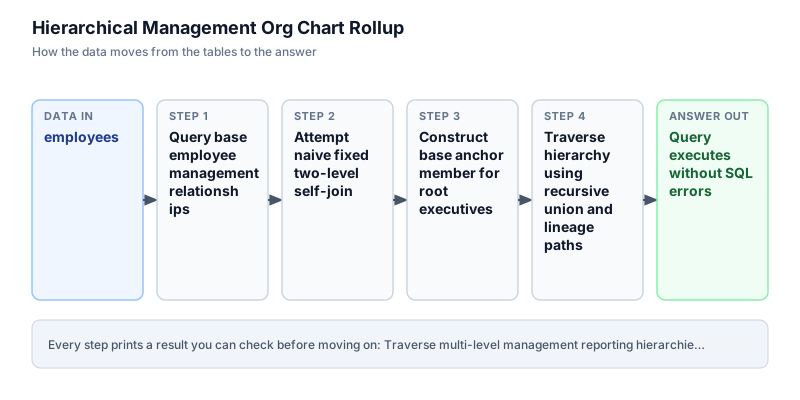
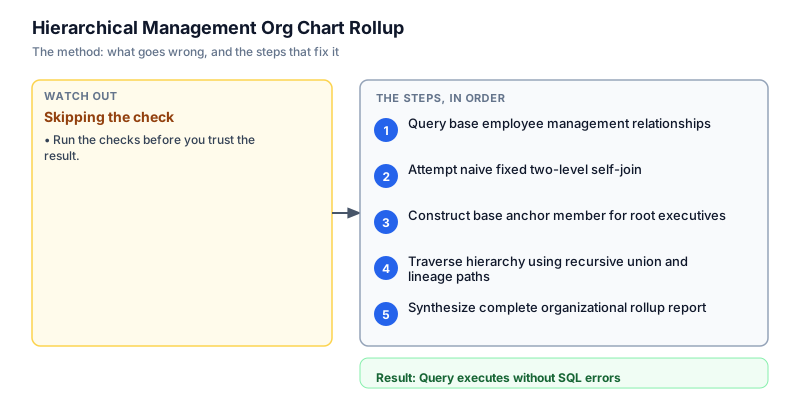
Query base employee management relationships
We start by querying the raw employees table ordered by employee_id. Notice that Vikram Mehta has manager_id NULL, designating him as the root executive. Rohit Verma and Sneha Rao report to manager 1. Deepak Shah and Ananya Sen report to manager 2, while Pooja Nair reports to manager 3. In enterprise HR systems, inspecting self-referencing foreign keys verifies data hygiene and confirms that root managers have explicit NULL values before initiating recursive traversal. Verifying the self-referencing foreign key hierarchy ensures that every employee maps to an existing manager or has an explicit NULL value designating top-level executive leadership.
SELECT employee_id, employee_name, manager_id, department, salary FROM employees ORDER BY employee_id;employee_id | employee_name | manager_id | department | salary ------------+---------------+------------+-------------+------- 1 | Vikram Mehta | NULL | Executive | 250000 2 | Rohit Verma | 1 | Engineering | 180000 3 | Sneha Rao | 1 | Sales | 170000 4 | Deepak Shah | 2 | Engineering | 120000 5 | Ananya Sen | 2 | Engineering | 115000 6 | Pooja Nair | 3 | Sales | 95000
Common mistakeAssuming manager_id 0 represents the CEO instead of standard relational NULL, which causes outer joins to misidentify root nodes.
How you will knowYou will see 6 employee records with Vikram Mehta having NULL for manager_id.
Attempt naive fixed two-level self-join
Wrong turn first: this step shows the mistake before the fix
Here is the naive approach: writing a query that joins employees to itself once (e.employee_id = m.manager_id). While this displays immediate manager-subordinate pairs, it fails when the organizational chart deepens to 3, 4, or 5 levels. Furthermore, attempting to chain multiple manual joins hardcodes a rigid depth limit, completely missing any employee positioned below the hardcoded join depth. Manual self-joins cannot accommodate dynamic organizational growth, silently dropping deep subordinates and corrupting departmental headcount rollups. In growing organizations, relying on rigid join depths creates silent failure modes that distort financial reporting and leave significant payroll expenses unallocated.
SELECT e.employee_name AS employee, m.employee_name AS manager, e.department FROM employees e LEFT JOIN employees m ON e.manager_id = m.employee_id ORDER BY e.employee_id;employee | manager | department -------------+--------------+------------ Vikram Mehta | NULL | Executive Rohit Verma | Vikram Mehta | Engineering Sneha Rao | Vikram Mehta | Sales Deepak Shah | Rohit Verma | Engineering Ananya Sen | Rohit Verma | Engineering Pooja Nair | Sneha Rao | Sales
Common mistakeHardcoding fixed self-joins instead of using recursive CTEs to handle dynamic management tree depths.
How you will knowNotice that fixed joins only display immediate adjacent relationships without calculating global organizational depth.
Construct base anchor member for root executives
We begin building our recursive CTE by defining the anchor query. The anchor member filters WHERE manager_id IS NULL, selecting only the top-level executives. We assign hierarchy_level = 1 to the CEO and initialize the management_path as CAST(employee_name AS VARCHAR). This anchor query provides the starting node for all subsequent recursive iterations. By isolating employees with null manager keys, the anchor member establishes the root of the hierarchy tree.
SELECT employee_id, employee_name, manager_id, department, 1 AS hierarchy_level, CAST(employee_name AS VARCHAR) AS management_path FROM employees WHERE manager_id IS NULL;employee_id | employee_name | manager_id | department | hierarchy_level | management_path ------------+---------------+------------+------------+-----------------+---------------- 1 | Vikram Mehta | NULL | Executive | 1 | Vikram Mehta
Common mistakeFailing to explicitly cast string columns in the anchor member, which can trigger type mismatches during recursive union.
How you will knowThe output isolates exactly 1 root executive row for Vikram Mehta with hierarchy_level 1.
Traverse hierarchy using recursive union and lineage paths
Next, we add the recursive union member using UNION ALL. The recursive member joins the employees table with the CTE itself on e.manager_id = o.employee_id. In each recursion step, hierarchy_level is incremented by 1 (o.hierarchy_level + 1) and the management path is concatenated: o.management_path || ' -> ' || e.employee_name. The recursion continues automatically until every subordinate in the company is processed. Joining the base employee table with the recursive CTE allows the query to traverse multi-tiered reporting structures dynamically, building complete management lineage paths without hardcoded depth limitations.
WITH RECURSIVE org_tree AS ( SELECT employee_id, employee_name, manager_id, department, 1 AS hierarchy_level, CAST(employee_name AS VARCHAR) AS management_path FROM employees WHERE manager_id IS NULL UNION ALL SELECT e.employee_id, e.employee_name, e.manager_id, e.department, o.hierarchy_level + 1, CAST(o.management_path || ' -> ' || e.employee_name AS VARCHAR) FROM employees e JOIN org_tree o ON e.manager_id = o.employee_id ) SELECT employee_id, employee_name, hierarchy_level, management_path FROM org_tree ORDER BY hierarchy_level, employee_id;employee_id | employee_name | hierarchy_level | management_path ------------+---------------+-----------------+------------------------------------------- 1 | Vikram Mehta | 1 | Vikram Mehta 2 | Rohit Verma | 2 | Vikram Mehta -> Rohit Verma 3 | Sneha Rao | 2 | Vikram Mehta -> Sneha Rao 4 | Deepak Shah | 3 | Vikram Mehta -> Rohit Verma -> Deepak Shah 5 | Ananya Sen | 3 | Vikram Mehta -> Rohit Verma -> Ananya Sen 6 | Pooja Nair | 3 | Vikram Mehta -> Sneha Rao -> Pooja Nair
Common mistakeJoining on e.employee_id = o.manager_id instead of e.manager_id = o.employee_id, which attempts to traverse backwards toward the root.
How you will knowThe query returns all 6 employees with their calculated hierarchy levels and breadcrumb management paths.
Synthesize complete organizational rollup report
In the final query, we output the complete enterprise organizational hierarchy report, including department and salary attributes alongside the recursive depth level and management path. The result provides executive leadership with total organizational visibility across all 3 tiers: Vikram Mehta at level 1, department directors at level 2, and engineering and sales professionals at level 3. Combining recursive depth with compensation details provides finance teams with comprehensive headcount rollups across all business divisions. Generating explicit management paths equips organizational planners with transparent structural oversight.
WITH RECURSIVE org_tree AS ( SELECT employee_id, employee_name, manager_id, department, salary, 1 AS hierarchy_level, CAST(employee_name AS VARCHAR) AS management_path FROM employees WHERE manager_id IS NULL UNION ALL SELECT e.employee_id, e.employee_name, e.manager_id, e.department, e.salary, o.hierarchy_level + 1, CAST(o.management_path || ' -> ' || e.employee_name AS VARCHAR) FROM employees e JOIN org_tree o ON e.manager_id = o.employee_id ) SELECT employee_id, employee_name, department, salary, hierarchy_level, management_path FROM org_tree ORDER BY hierarchy_level, employee_id;employee_id | employee_name | department | salary | hierarchy_level | management_path ------------+---------------+-------------+--------+-----------------+------------------------------------------- 1 | Vikram Mehta | Executive | 250000 | 1 | Vikram Mehta 2 | Rohit Verma | Engineering | 180000 | 2 | Vikram Mehta -> Rohit Verma 3 | Sneha Rao | Sales | 170000 | 2 | Vikram Mehta -> Sneha Rao 4 | Deepak Shah | Engineering | 120000 | 3 | Vikram Mehta -> Rohit Verma -> Deepak Shah 5 | Ananya Sen | Engineering | 115000 | 3 | Vikram Mehta -> Rohit Verma -> Ananya Sen 6 | Pooja Nair | Sales | 95000 | 3 | Vikram Mehta -> Sneha Rao -> Pooja Nair
Common mistakeSorting by employee_id instead of hierarchy_level and path, which fragments organizational tree visualization.
How you will knowThe output provides all 6 employees sorted by hierarchy level with full department and compensation attributes.
Build it yourself
Write your solution below, run it in your browser, and pass every check.
What the result means
Interpretation
The recursive org chart query successfully resolves the multi-level reporting structure of ApexCorp. It identifies Vikram Mehta as the root executive at level 1, department leaders Rohit Verma and Sneha Rao at level 2, and team specialists Deepak Shah, Ananya Sen, and Pooja Nair at level 3. Generating the breadcrumb management path provides instant organizational clarity.
The message you would send
Hi HR and Finance Leadership, the recursive management hierarchy model is deployed. The query dynamically captures all 3 organizational reporting levels and constructs complete management breadcrumbs without hardcoded depth limits. Departmental compensation rollups now account for 100% of headcount.
Put it on your CV
Resume or LinkedIn bullet
Engineered a recursive organizational hierarchy model in SQL using WITH RECURSIVE, dynamic depth calculation, and lineage path generation in DuckDB.README for GitHub
# Hierarchical Management Org Chart Rollup

An advanced SQL recursive CTE pipeline traversing multi-tiered reporting hierarchies and calculating organizational depth.

## Features
- Dynamic hierarchy traversal without hardcoded join depth limits
- Base anchor member isolating root executives with NULL manager keys
- Recursive union member incrementing hierarchy levels and building lineage paths
- Comprehensive departmental compensation and headcount rollup reportingAdd cycle detection logic using an array tracking visited employee IDs to prevent infinite loops in corrupt data.