DevOps and quality
Git, GitHub and the Command Line
Branching, rebasing, pull requests, Actions and the shell skills teams expect.
- Handwritten-style
- Diagrams and tables
- Worked examples
Who this notebook is for
Students and developers who use Git every day but still fear a bad merge or a lost commit. It explains how Git stores history so the commands make sense.
What you will be able to do
- Explain how Git stores commits and what branches really are
- Merge, rebase and resolve conflicts without losing work
- Undo mistakes safely with reset, revert and the reflog
- Open a clear pull request and set up a simple GitHub Actions workflow
What's inside
Pick a chapter and the notebook opens right there.
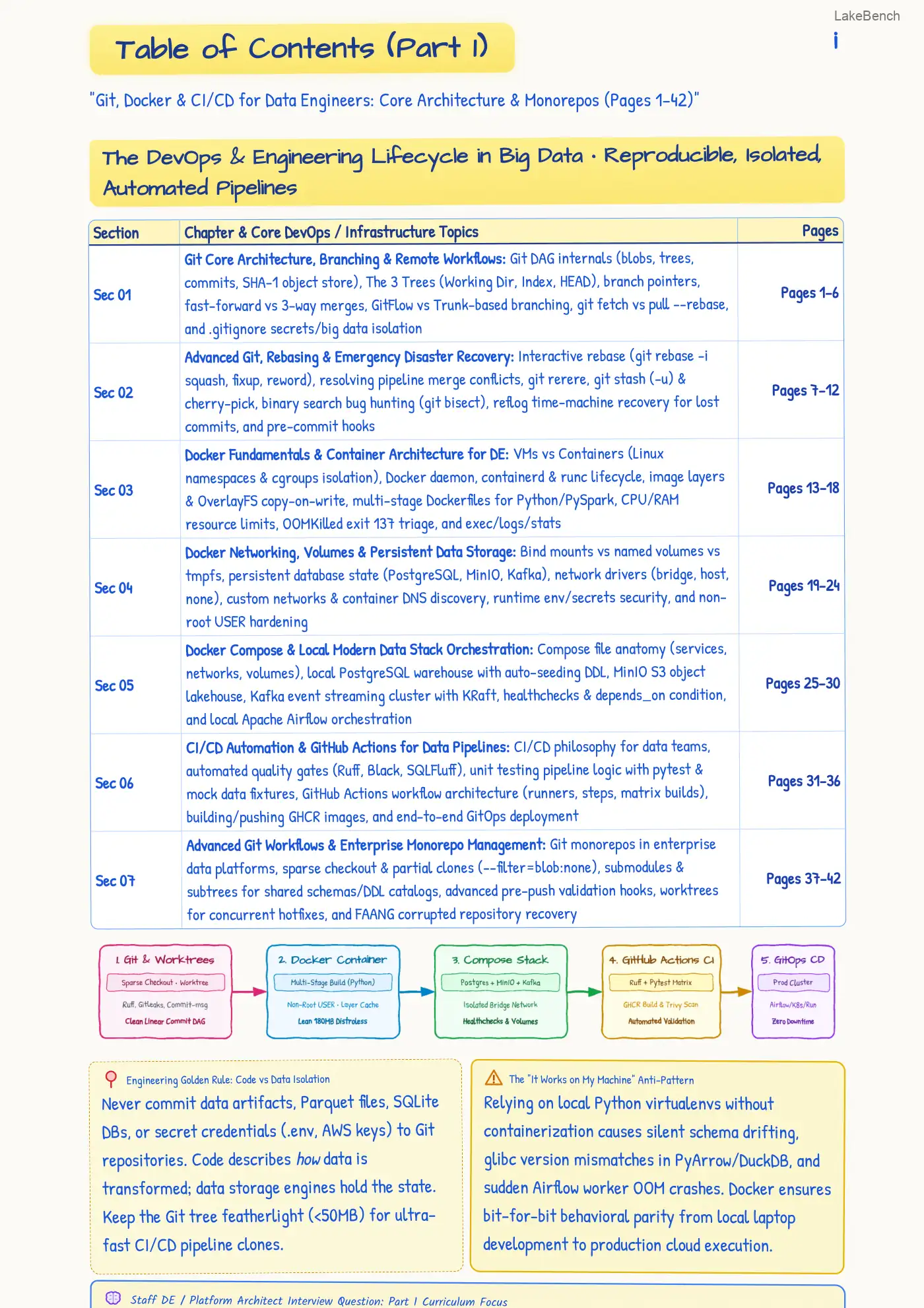
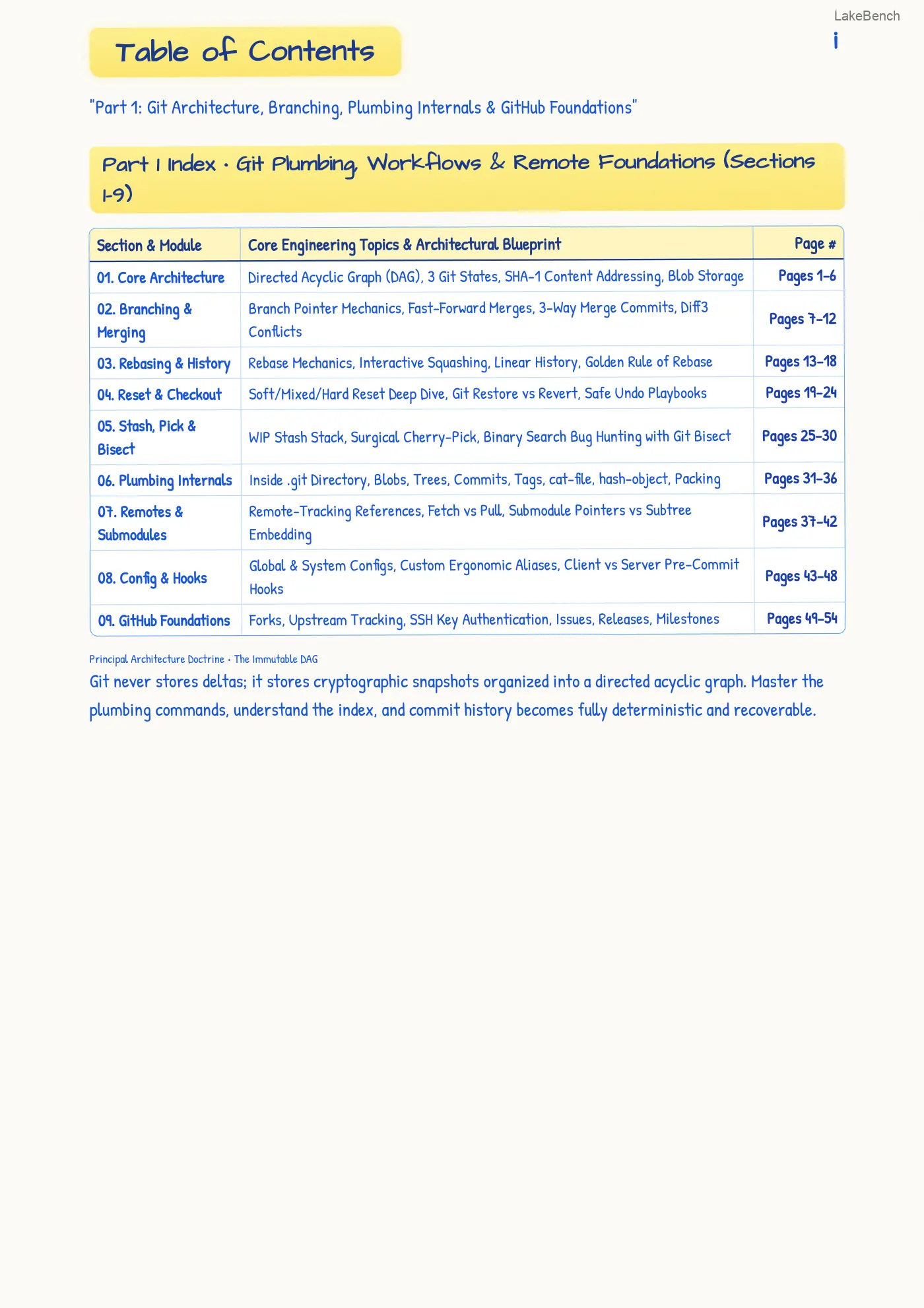
- Core ArchitectureDirected Acyclic Graph (DAG), 3 Git States, SHA-1 Content Addressing, Blob StorageStart here
- Branching & MergingBranch Pointer Mechanics, Fast-Forward Merges, 3-Way Merge Commits, Diff3 ConflictsStart here
- Rebasing & HistoryRebase Mechanics, Interactive Squashing, Linear History, Golden Rule of RebaseStart here
- Reset & CheckoutSoft/Mixed/Hard Reset Deep Dive, Git Restore vs Revert, Safe Undo PlaybooksStart here
- Stash, Pick & BisectWIP Stash Stack, Surgical Cherry-Pick, Binary Search Bug Hunting with Git BisectStart here
- Plumbing InternalsInside.git Directory, Blobs, Trees, Commits, Tags, cat-file, hash-object, PackingStart here
- Remotes & SubmodulesRemote-Tracking References, Fetch vs Pull, Submodule Pointers vs Subtree EmbeddingStart here
- Config & HooksGlobal & System Configs, Custom Ergonomic Aliases, Client vs Server Pre-Commit HooksStart here
- GitHub FoundationsForks, Upstream Tracking, SSH Key Authentication, Issues, Releases, MilestonesStart here
- Pull Requests & ReviewHigh-Signal PR Architecture, Squash vs Rebase vs Merge Commit, Branch ProtectionsStart here
- GitHub Actions CI/CDYAML Workflow Architecture, Matrix Builds, Caching, OIDC Keyless Cloud DeploymentsStart here
- Security & GovernanceSecret Scanning, Dependabot, GPG Cryptographic Signatures, git-filter-repo PurgingStart here
- GitHub CLI (gh)Terminal-First Workflows: gh pr create/checkout/merge, gh run view, gh secretStart here
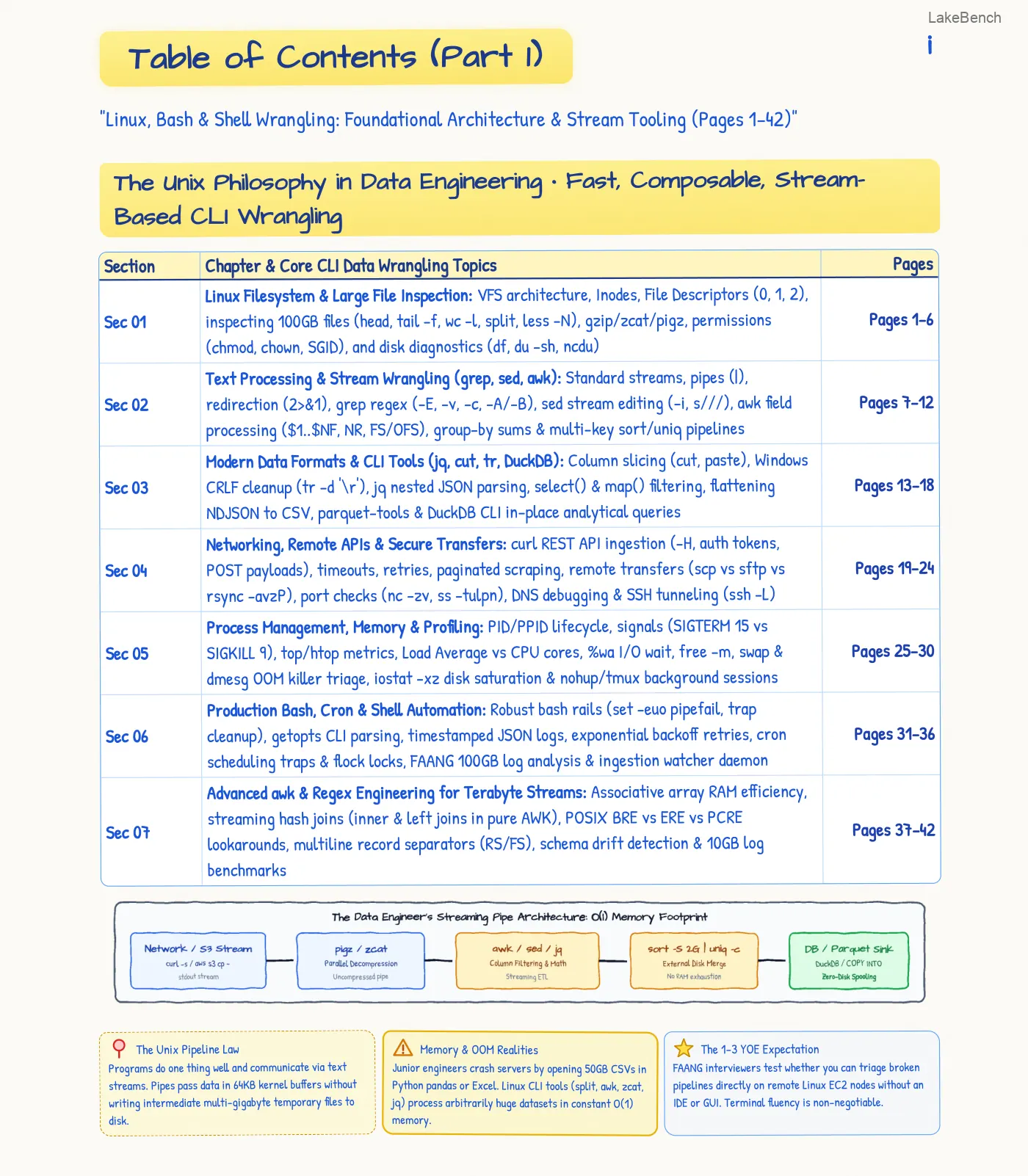
- POSIX Shell FoundationsStandard Streams (0, 1, 2), Redirection (2>&1), Pipes, Exit Codes, Signals, SubshellsStart here
- Process & Resource Triageps, htop, kill, SIGKILL vs SIGTERM, Inodes (df -i), Disk Usage (du), OOM KillerStart here
- Text Processing ToolsGrep vs Ripgrep, Sed In-Place Edits, Awk Columns & Hash Maps, Sort, Uniq, Cut PipelinesStart here
- SSH & Network MasterySSH Ed25519, ~/.ssh/config ProxyJump, Curl API Metrics, lsof -i :PORT, Rsync, Zsh/FZFStart here
- Top 30 FAANG DrillsObject Plumbing, Force-With-Lease, Reflog Disasters, Inodes, Zombies, Staff RubricStart here
Practice this
Put it to work on LakeBench.
Common questions
- Do I need to know Git already?
- No. It starts from the three areas a file moves through and builds up to teamwork on GitHub.
- Does it include the command line?
- Yes. The second half covers shell basics, finding processes and searching text, which you use alongside Git every day.
- Can I read a sample before I commit?
- Yes. The contents pages and the first pages of every notebook can be read online, so you can judge the style before going further.