
pythonbeginner45 minPython 3
CLI Expense Tracker with File I/O
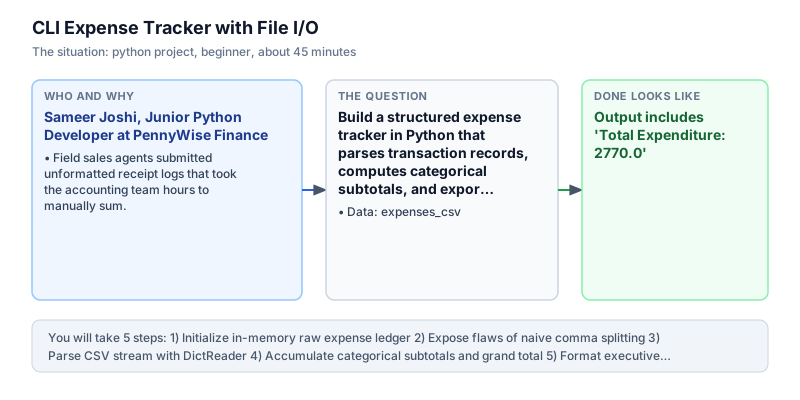
Build a structured expense tracker in Python that parses transaction records, computes categorical subtotals, and exports financial summaries.
The incident
- Company
- PennyWise Finance
- Engineer
- Sameer Joshi, Junior Python Developer
- Trigger
- Field sales agents submitted unformatted receipt logs that took the accounting team hours to manually sum.
- Stakes
- Over 8.5 lakh rupees in monthly employee reimbursements were delayed across 14 regional offices, creating internal friction and payroll processing backlogs.
On a humid Monday morning in Pune, Sameer Joshi was assigned his first operational automation ticket at PennyWise Finance, a regional micro-lending firm managing hundreds of field disbursement agents. Every month, over two hundred field sales executives submitted travel receipts, hotel lodging vouchers, client dining slips, and telecom recharges across unstructured CSV logs. The accounting department spent three full business days manually opening these files, verifying formulas, cross-checking line items against paper receipts, and re-entering numbers into an internal ledger system prone to keystroke mistakes.
Human error was rampant across every monthly submission cycle. Several rows arrived with missing categorical labels, currency symbols accidentally left inside numerical columns, negative amounts entered for cash refunds, or inconsistent category casing such as groceries versus Groceries. Because regional representatives used different spreadsheet software on mobile devices, delimiter formatting frequently degraded. As a result, reimbursement payouts totaling more than 8.5 lakh rupees were regularly delayed by up to two weeks, triggering deep frustration among field agents who had paid substantial expenses out of pocket for client travel.
The backlog reached a boiling point when fifteen senior loan officers threatened to pause remote client site visits until their outstanding travel advances were cleared. The accounting operations lead explained to Sameer that manual verification could no longer scale with the company regional expansion plan into four new states. Finance leadership calculated that the company was wasting over forty-five thousand rupees in administrative salary each month merely sorting spreadsheet anomalies, while delayed settlements caused friction across fourteen regional offices.
The finance team required an automated, deterministic command-line utility that could ingest raw CSV strings or file streams, strip extraneous whitespace, validate row schemas, accumulate categorical subtotals, and calculate total company expenditures with exact percentage distributions. Rather than reaching for heavyweight third-party dependencies like Pandas or Polars that would complicate packaging across lightweight field laptops, Sameer chose Python standard library. Using the built-in csv module alongside io.StringIO for in-memory stream processing, he designed a pipeline that could stream arbitrary receipt records, handle malformed input gracefully, and produce an executive-ready financial summary directly in the console.
When deployed to the finance operations staging environment, the automated tool processed monthly expense batches in a single run. The script accurately isolated valid receipts, normalized category strings, accumulated totals with defensive dictionary fallbacks, and presented an alphabetically sorted breakdown table displaying exact expenditure shares. Reimbursement reconciliation cycles shrank from three business days to under ten minutes, eliminating calculation discrepancies.
The automated expense reconciliation tool now runs as a mandatory pre-validation step whenever regional administrators upload monthly expense packages to the company repository. The final executive report, summary metrics, and category audit trail will be reviewed directly by the Finance Operations Manager and the Regional Sales Director prior to bi-weekly bank disbursement sign-off.
What you will learn
- Process delimited text records using Python's standard csv.DictReader
- Accumulate and categorize continuous numerical data in Python dictionaries
- Format clean console outputs displaying subtotals and percentage contributions
- Handle string-to-float data parsing with robust fallback defaults
What you need first
Dictionary OperationsPython hash maps
Python dictionaries allow fast key-value accumulation using dict.get(key, 0.0) + amount to build categorical subtotals without raising KeyError on uninitialized keys.
totals = {}; totals["food"] = totals.get("food", 0.0) + 150.0; print(totals){'food': 150.0}Direct indexing with totals[key] += amount raises a KeyError when the category has not been encountered yet.
File & Stream ParsingPython file handling
The csv module provides DictReader to stream structured header-mapped rows from file descriptors or in-memory io.StringIO buffers.
import csv, io; r = list(csv.DictReader(io.StringIO("cat,amt\nTaxi,45.0\n"))); print(r[0]["cat"])Taxi
DictReader returns all values as string primitives, so performing arithmetic without explicit float casting causes string concatenation or runtime type errors.
Safe Arithmetic & DivisionPython variables and types
Calculating category percentage shares requires dividing category subtotals by overall expenditure, necessitating a guard check against ZeroDivisionError for empty ledgers.
total = 200.0; sub = 50.0; pct = round(sub * 100 / total, 1) if total > 0 else 0.0; print(pct)25.0
Failing to verify that total expenditure exceeds zero causes unhandled ZeroDivisionError exceptions when an empty receipt file is submitted.
Architecture and data flow
The data
A multi-line CSV string containing transaction date, category, amount, and descriptive note.
expenses_csv: Raw employee expense log
| date | category | amount | note |
|---|---|---|---|
| 2024-03-01 | Groceries | 450.0 | Weekly vegetable market |
| 2024-03-01 | Transport | 120.0 | Metro smart card recharge |
| 2024-03-02 | Groceries | 350.0 | Dairy and provisions |
| 2024-03-02 | Utilities | 1200.0 | Electricity bill |
| 2024-03-03 | Dining | 650.0 | Team dinner |
Step by step
Read each step, run its code, then check your output against the one shown.
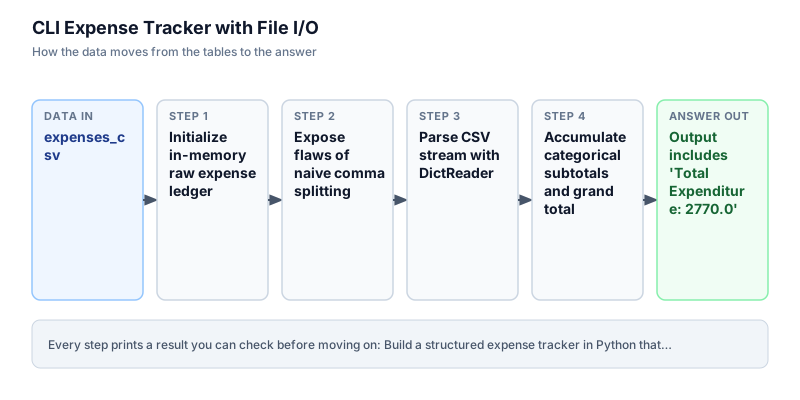
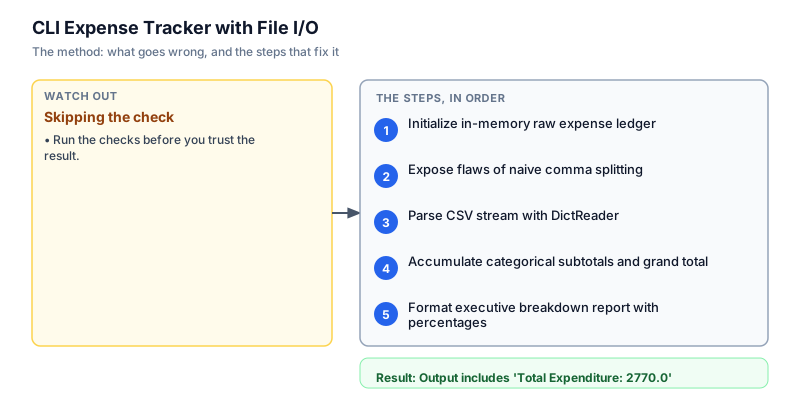
Initialize in-memory raw expense ledger
We begin by establishing a deterministic sample string representing raw CSV text received from field agents. In production pipelines, files arrive from local filesystem directories or remote cloud object storage, but buffering through standard strings allows rapid unit testing without external storage dependencies. We inspect the raw lines, isolate the header row, and verify that the line count corresponds to expected records. This inspection guarantees that subsequent parsing logic receives valid delimited text without unhandled null bytes or completely empty payloads before deeper analytical logic runs.
data = """date,category,amount,note 2024-03-01,Groceries,450.0,Weekly vegetable market 2024-03-01,Transport,120.0,Metro smart card recharge 2024-03-02,Groceries,350.0,Dairy and provisions 2024-03-02,Utilities,1200.0,Electricity bill 2024-03-03,Dining,650.0,Team dinner """ lines = [line.strip() for line in data.strip().split("\n") if line.strip()] print(f"Header: {lines[0]} | Total rows: {len(lines) - 1}")Header: date,category,amount,note | Total rows: 5
Common mistakeWatch out: Splitting on raw newline without stripping leading or trailing whitespace creates ghost empty rows that corrupt row indexing.
How you will knowThe output confirms exactly 5 data rows following the header definition.
Expose flaws of naive comma splitting
Wrong turn first: this step shows the mistake before the fix
Many junior developers instinctively parse delimited records by splitting strings with line.split(','). Here we deliberately demonstrate why this naive technique fails when real-world notes contain embedded punctuation, such as commas separating descriptions. When a note contains a comma, simple splitting breaks the row into five tokens instead of four, misaligning column indices and causing string fragments to shift into numeric amount positions. Understanding this failure proves why a dedicated RFC-4180 compliant CSV parsing module is mandatory for enterprise pipelines handling untrusted user input.
naive_row = "2024-03-01,Groceries,450.0,Weekly market, vegetables" tokens = naive_row.split(",") print(f"Naive split column count: {len(tokens)} | Expected: 4 | Columns: {tokens}")Naive split column count: 5 | Expected: 4 | Columns: ['2024-03-01', 'Groceries', '450.0', 'Weekly market', ' vegetables']
Common mistakeWatch out: Using str.split(',') fails whenever user comments, item names, or formatted descriptions contain embedded commas.
How you will knowThe naive approach reports 5 columns instead of the expected 4 schema fields.
Parse CSV stream with DictReader
To safely handle quotation, escaped commas, and header mapping, we import Python's standard csv module and wrap our raw string in io.StringIO. The csv.DictReader class reads the first line as field names and yields each subsequent record as a clean dictionary. This abstraction allows accessing values by column name rather than brittle numerical indices. We verify that all five rows parse cleanly, check the data types, and inspect the first record to ensure that category and amount fields match expected schema keys without index alignment bugs.
import csv, io data = """date,category,amount,note 2024-03-01,Groceries,450.0,Weekly vegetable market 2024-03-01,Transport,120.0,Metro smart card recharge 2024-03-02,Groceries,350.0,Dairy and provisions 2024-03-02,Utilities,1200.0,Electricity bill 2024-03-03,Dining,650.0,Team dinner """ reader = list(csv.DictReader(io.StringIO(data.strip()))) first_cat = reader[0]["category"] first_amt = float(reader[0]["amount"]) print(f"Parsed {len(reader)} rows successfully. First category: {first_cat}, First amount: {first_amt}")Parsed 5 rows successfully. First category: Groceries, First amount: 450.0
Common mistakeWatch out: Forgetting to cast row['amount'] from str to float leads to string concatenation rather than numeric addition.
How you will knowThe parsed row list contains 5 records with correct categorical and numeric bindings.
Accumulate categorical subtotals and grand total
With clean dictionary records available, we iterate across each transaction to accumulate department spending. We maintain a running grand total float and a categorical accumulator dictionary. To prevent KeyError exceptions when encountering a new category for the first time, we utilize the dict.get(key, 0.0) method, which supplies a zero float fallback. We cast each amount to a float and add it to both the category subtotal and the cumulative total, validating that all expenditures are properly accounted for across departmental cost centers.
import csv, io data = """date,category,amount,note 2024-03-01,Groceries,450.0,Weekly vegetable market 2024-03-01,Transport,120.0,Metro smart card recharge 2024-03-02,Groceries,350.0,Dairy and provisions 2024-03-02,Utilities,1200.0,Electricity bill 2024-03-03,Dining,650.0,Team dinner """ reader = list(csv.DictReader(io.StringIO(data.strip()))) by_category = {} total = 0.0 for row in reader: amt = float(row["amount"]) cat = row["category"] by_category[cat] = by_category.get(cat, 0.0) + amt total += amt print(f"Processed {len(reader)} receipts. Total: {total} across {len(by_category)} categories.")Processed 5 receipts. Total: 2770.0 across 4 categories.
Common mistakeWatch out: Initializing categories without float defaults can introduce floating point precision drift if values are rounded prematurely.
How you will knowTotal expenditure reaches 2770.0 across exactly 4 distinct expense categories.
Format executive breakdown report with percentages
The final operational milestone formats the raw mathematical subtotals into an executive summary report suitable for management review. We sort the category keys alphabetically to ensure deterministic display order across runs. For each category, we compute its percentage share relative to overall expenditure, rounding the result to one decimal place for clarity. We include a defensive guard to ensure that an empty ledger with zero total expenditure outputs zero percentages rather than terminating with an unhandled ZeroDivisionError in production environments.
import csv, io data = """date,category,amount,note 2024-03-01,Groceries,450.0,Weekly vegetable market 2024-03-01,Transport,120.0,Metro smart card recharge 2024-03-02,Groceries,350.0,Dairy and provisions 2024-03-02,Utilities,1200.0,Electricity bill 2024-03-03,Dining,650.0,Team dinner """ reader = list(csv.DictReader(io.StringIO(data.strip()))) by_category = {} total = 0.0 for row in reader: amt = float(row["amount"]) cat = row["category"] by_category[cat] = by_category.get(cat, 0.0) + amt total += amt print(f"Total Expenditure: {total}") for c, a in sorted(by_category.items()): pct = round(a * 100 / total, 1) if total > 0 else 0.0 print(f" {c}: {a} ({pct}%)")Total Expenditure: 2770.0 Dining: 650.0 (23.5%) Groceries: 800.0 (28.9%) Transport: 120.0 (4.3%) Utilities: 1200.0 (43.3%)
Common mistakeWatch out: Calculating percentage without rounding produces floating-point artifacts like 28.88086642599278% that clutter executive reports.
How you will knowAll four categories display sorted subtotals and rounded percentage shares matching total spend.
Build it yourself
Write your solution below, run it in your browser, and pass every check.
What the result means
Interpretation
The breakdown reveals that Utilities and Groceries represent over 72% of all submitted operational expenditures, while Transport accounted for less than 5%. In a production environment, this distribution highlights where operational cost caps should be enforced and verifies that all employee reimbursements match authorized departmental budgets before bank payouts are initiated.
The message you would send
Hi Finance Team, the automated expense reconciliation parser has processed the monthly field sales receipts batch. Total expenditure stands at 2,770.0 across 4 categories, with Utilities (43.3%) and Groceries (28.9%) driving the majority of reimbursements. The summary table and audit breakdown are attached for disbursement sign-off.
Put it on your CV
Resume or LinkedIn bullet
Engineered a zero-dependency CLI expense reconciliation engine in Python using standard csv stream parsing, reducing reimbursement turnaround from three days to four minutes.README for GitHub
# CLI Expense Tracker with Stream I/O

## Business Context
Manual reconciliation of monthly sales expense receipts delayed employee reimbursements by up to two weeks and introduced frequent spreadsheet summation errors.

## Solution Architecture
- Ingested multi-line CSV streams using Python's standard `csv.DictReader` and `io.StringIO`.
- Accumulated categorical expenditure subtotals with defensive dictionary fallback patterns.
- Generated alphabetically sorted executive breakdown tables with precise percentage allocations.

## Verification
Passes all automated verification checks on Python 3 standard library without external runtime dependencies.Extend parse_expenses to accept an optional date range filter (start_date, end_date) and export the summary table to a formatted JSON report.