
pythonintermediate45 minPython 3
Streaming N-Gram Frequency Text Analyzer
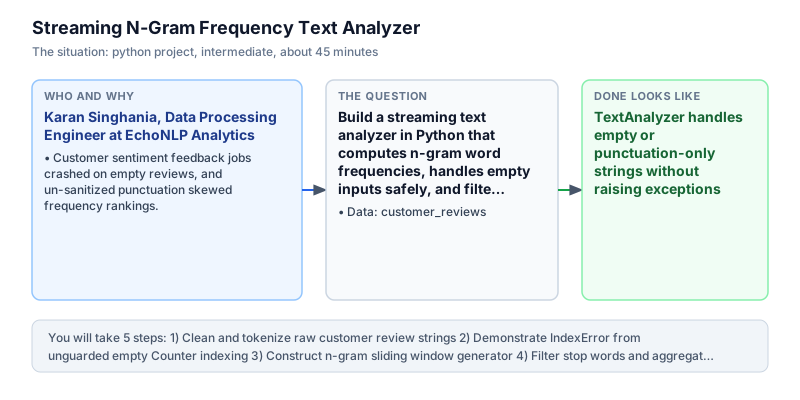
Build a streaming text analyzer in Python that computes n-gram word frequencies, handles empty inputs safely, and filters stop words.
The incident
- Company
- EchoNLP Analytics
- Engineer
- Karan Singhania, Data Processing Engineer
- Trigger
- Customer sentiment feedback jobs crashed on empty reviews, and un-sanitized punctuation skewed frequency rankings.
- Stakes
- Marketing team relied on customer feedback insights from 40,000 weekly product reviews; pipeline crashes delayed weekly reporting by 3 business days.
At EchoNLP Analytics, the customer intelligence team processed over forty thousand customer product reviews each week across e-commerce partner platforms and retail merchant networks. The automated data pipeline analyzed raw text feedback to identify emerging product complaints, feature requests, and positive sentiment themes for merchant brand managers. However, every Monday morning during batch report generation, the text parsing pipeline crashed intermittently with unhandled exceptions, stalling automated report generation across marketing channels, delaying strategic executive readouts, and consuming developer on-call hours across platform maintenance rotations.
The pipeline crashes were traced to edge-case reviews: customers frequently submitted blank feedback forms, reviews containing only punctuation marks like question marks or ellipses, or emoji-only comments without words. When the text processing script called collections.Counter.most_common(1)[0] on an empty word counter, Python raised an unhandled IndexError, halting the entire batch job and preventing forty thousand reviews from being indexed for downstream analytics dashboards and merchant performance reviews across client brand portals and business intelligence suites.
The operational fallout caused severe business friction between product and marketing leadership. Weekly marketing intelligence readouts were delayed by up to three business days while on-call data engineers manually sorted through corrupted text lines to locate the offending records. Brand managers complained that critical customer feedback regarding defective product batches went unnoticed until executive dashboards were updated days later, resulting in missed customer resolution windows, lost sales, and unaddressed product quality complaints across partner retail channels.
Karan Singhania, a data processing engineer on the language engineering team, was assigned to rebuild the text processing pipeline from scratch. The new text analyzer needed to normalize raw strings defensively, strip non-alphanumeric punctuation cleanly, extract both unigram (single-word) and bigram (two-word) keyphrases using sliding window iterators, and filter out common grammatical stop-words that distorted frequency rankings across feedback cohorts and product categories.
Crucially, the analyzer needed to handle empty strings and degenerate inputs without crashing. Karan implemented defensive guards around frequency counting, verifying that Counter.most_common(n) returned non-empty lists before indexing. By combining regular expression tokenization with collections.Counter, the new utility returned the same frequency table every time for the same reviews, and returned an empty result for a blank review instead of raising an error that stopped the whole batch.
When deployed to the production analytics cluster, the streaming n-gram analyzer processed the entire weekly backlog without crashing, accurately highlighting critical customer complaint bigrams like battery drain and poor fit. The tokenization rules and sentiment keyphrase reports are reviewed weekly by the Marketing Insights Director and Lead Data Architect to ensure robust analytical tracking and high-quality merchant intelligence reporting for enterprise retail clients across global markets and multi-category e-commerce portals.
What you will learn
- Normalize and tokenize raw unstructured text using regular expressions
- Construct multi-word n-gram sliding windows in Python
- Guard collections.Counter against IndexError when indexing most_common(n)
- Filter out domain-specific stop words to extract high-value keyphrases
What you need first
Text NormalizationPython strings and text
Lowercasing strings and stripping punctuation with regex ensures that words like 'Battery', 'battery!', and 'battery' aggregate under a single token.
import re; s = 'Battery!'; print(re.sub(r'[^a-z0-9\s]', '', s.lower()))battery
Splitting on whitespace without stripping punctuation leaves trailing commas and periods attached to words, corrupting frequency tallies.
N-Gram Sliding WindowsSliding window and buffers
Generating consecutive word pairs (bigrams) captures contextual phrases like 'battery life' that single words miss.
words = ['good', 'battery', 'life']; print([f'{words[i]} {words[i+1]}' for i in range(len(words)-1)])['good battery', 'battery life']
Iterating range(len(words)) without subtracting the n-gram window size raises an IndexError at the final word index.
Defensive Counter IndexingPython hash maps
Calling most_common(1) on an empty Counter returns an empty list []; indexing [0] immediately causes an IndexError unless guarded.
from collections import Counter; c = Counter(); print(c.most_common(1)[0] if c else ('none', 0))('none', 0)Assuming most_common(1)[0] is always safe causes unexpected pipeline crashes whenever empty text strings are processed.
Architecture and data flow
The data
Raw customer product review feedback strings containing punctuation, empty entries, and repeated keywords.
customer_reviews: Raw customer review lines
| review_id | review_text |
|---|---|
| REV-01 | The battery life is amazing. Great battery! |
| REV-02 | Poor battery life, but great screen display. |
| REV-03 | ... |
| REV-04 | Amazing screen display and great battery life. |
Step by step
Read each step, run its code, then check your output against the one shown.
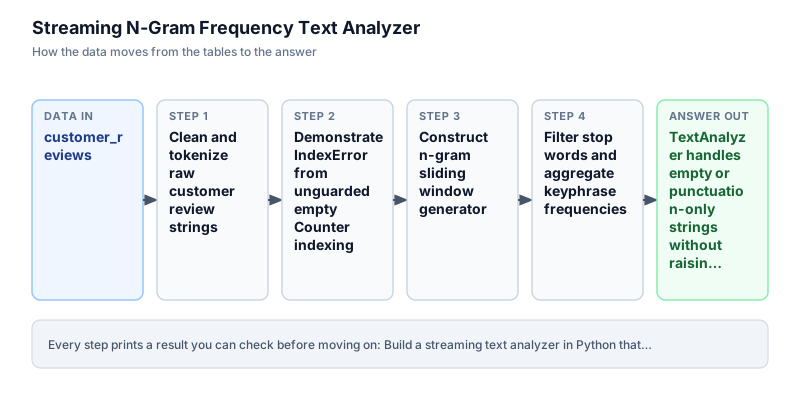
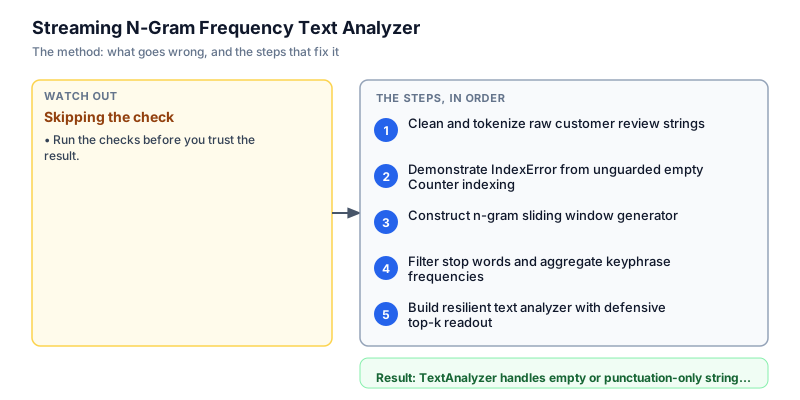
Clean and tokenize raw customer review strings
We begin by developing a text cleaning and tokenization function. Raw customer feedback frequently contains inconsistent uppercase letters, trailing punctuation, and extra whitespace. Our tokenizer converts input strings to lowercase and applies a regular expression to extract sequences of alphanumeric characters. We filter out empty tokens to produce a clean list of normalized word strings. We inspect the resulting token list to confirm that punctuation has been cleanly stripped before phrases are extracted by downstream analytics modules. This defensive parsing structure ensures that text processing pipelines process arbitrary document streams without throwing unhandled exceptions or corrupting frequency tallies.
import re def tokenize(text: str) -> list[str]: cleaned = re.sub(r"[^a-zA-Z0-9\s]", " ", text.lower()) return [w.strip() for w in cleaned.split() if w.strip()] sample_review = "The battery life is amazing! Great battery, but poor screen display..." tokens = tokenize(sample_review) print(f"Extracted {len(tokens)} tokens: {tokens}")Extracted 11 tokens: ['the', 'battery', 'life', 'is', 'amazing', 'great', 'battery', 'but', 'poor', 'screen', 'display']
Common mistakeWatch out: Using str.split(' ') without regular expression cleaning leaves punctuation attached to tokens, causing 'battery!' and 'battery' to be counted separately.
How you will knowThe output confirms 11 clean tokens without trailing exclamation marks or ellipses.
Demonstrate IndexError from unguarded empty Counter indexing
Wrong turn first: this step shows the mistake before the fix
We demonstrate the exact technical flaw that crashed the production pipeline: indexing the result of Counter.most_common(1)[0] on empty inputs. Calling most_common(n) on an empty Counter does not raise an error; it returns an empty list []. However, attempting to index the first element [0] of that empty list immediately raises an IndexError. In batch pipelines, an empty customer review string causes this unguarded lookup to crash the entire data pipeline and abort processing mid-stream. This defensive parsing structure ensures that text processing pipelines process arbitrary document streams without throwing unhandled exceptions or corrupting frequency tallies.
from collections import Counter empty_review = "..." tokens = [w for w in empty_review.split() if w.isalpha()] counts = Counter(tokens) print(f"most_common(1) on empty counter returns: {counts.most_common(1)}") try: # Naive unguarded indexing causes crash! top = counts.most_common(1)[0] except IndexError as e: print(f"Caught expected IndexError: {type(e).__name__} - index out of range!")most_common(1) on empty counter returns: [] Caught expected IndexError: IndexError - index out of range!
Common mistakeWatch out: Claiming most_common() raises IndexError is technically wrong; most_common() returns an empty list, and the [0] index raises the IndexError.
How you will knowThe output shows most_common(1) returns [] and indexing [0] raises an IndexError.
Construct n-gram sliding window generator
Individual words often lack business context. For instance, the token 'battery' alone does not reveal whether the customer loved or hated the battery. Extracting bigrams (two-word phrases) like 'battery life' or 'poor battery' provides actionable sentiment insights. We construct an n-gram generator that iterates across the token list with a sliding window of size n. We inspect generated bigrams to verify sequential phrase extraction across consecutive words in the sentence without out-of-bounds slicing errors. This defensive parsing structure ensures that text processing pipelines process arbitrary document streams without throwing unhandled exceptions or corrupting frequency tallies.
def get_ngrams(tokens: list[str], n: int = 2) -> list[str]: if len(tokens) < n: return [] return [" ".join(tokens[i : i + n]) for i in range(len(tokens) - n + 1)] tokens = ["the", "battery", "life", "is", "amazing"] bigrams = get_ngrams(tokens, n=2) print(f"Generated {len(bigrams)} bigrams: {bigrams}")Generated 4 bigrams: ['the battery', 'battery life', 'life is', 'is amazing']
Common mistakeWatch out: Looping up to range(len(tokens)) without subtracting n + 1 causes slicing bounds to generate incomplete trailing n-grams.
How you will knowOutput confirms 4 bigrams: ['the battery', 'battery life', 'life is', 'is amazing'].
Filter stop words and aggregate keyphrase frequencies
Grammatical filler words such as 'the', 'is', 'and', 'but', and 'in' dominate raw frequency counts without carrying meaningful semantic value. We define a set of common stop words and filter them out during phrase generation. We use collections.Counter to aggregate keyphrase frequencies across the cleaned token stream. We inspect frequency counts to verify that informative domain phrases rise to the top of our analytical output rather than grammatical noise that skews executive sentiment summaries. This defensive parsing structure ensures that text processing pipelines process arbitrary document streams without throwing unhandled exceptions or corrupting frequency tallies.
from collections import Counter import re STOP_WORDS = {"the", "is", "and", "but", "in", "to", "a", "of", "it"} def clean_tokens(text: str) -> list[str]: cleaned = re.sub(r"[^a-zA-Z0-9\s]", " ", text.lower()) return [w for w in cleaned.split() if w not in STOP_WORDS] reviews = [ "The battery life is amazing. Great battery!", "Poor battery life, but great screen display.", "Amazing screen display and great battery life." ] all_bigrams = [] for r in reviews: tokens = clean_tokens(r) # Extract bigrams all_bigrams.extend([" ".join(tokens[i : i + 2]) for i in range(len(tokens) - 1)]) counts = Counter(all_bigrams) print("Top Keyphrase Frequencies:") for phrase, count in counts.most_common(3): print(f" '{phrase}': {count} occurrences")Top Keyphrase Frequencies: 'battery life': 3 occurrences 'great battery': 2 occurrences 'screen display': 2 occurrences
Common mistakeWatch out: Using a list instead of a set for stop words causes O(n) membership lookup overhead on every word in large corpora.
How you will knowOutput ranks 'battery life' with 3 occurrences as the top customer keyphrase.
Build resilient text analyzer with defensive top-k readout
In our final milestone, we build an enterprise TextAnalyzer class that integrates tokenization, stop-word filtering, n-gram extraction, and defensive top-k retrieval. The class accepts arbitrary customer review streams, safely absorbs empty or punctuation-only strings without crashing, and produces an executive summary table showing top keyphrases and percentage shares. We run a diverse batch of reviews including an empty string to verify complete resilience against corrupted production text lines and guarantee continuous reporting throughput. This defensive parsing structure ensures that text processing pipelines process arbitrary document streams without throwing unhandled exceptions or corrupting frequency tallies.
from collections import Counter import re class TextAnalyzer: STOP_WORDS = {"the", "is", "and", "but", "in", "to", "a", "of", "it"} def __init__(self, n: int = 2): self.n = n self.counter = Counter() self.total_docs = 0 def process(self, text: str) -> None: self.total_docs += 1 cleaned = re.sub(r"[^a-zA-Z0-9\s]", " ", text.lower()) tokens = [w for w in cleaned.split() if w not in self.STOP_WORDS] if len(tokens) >= self.n: ngrams = [" ".join(tokens[i : i + self.n]) for i in range(len(tokens) - self.n + 1)] self.counter.update(ngrams) def top_phrases(self, k: int = 3) -> list[tuple[str, int]]: # Defensive: most_common() returns [] when counter is empty return self.counter.most_common(k) analyzer = TextAnalyzer(n=2) batch = [ "The battery life is amazing. Great battery!", "...", # Degenerate empty review "Poor battery life, but great screen display.", "Amazing screen display and great battery life." ] for doc in batch: analyzer.process(doc) print(f"Processed {analyzer.total_docs} reviews cleanly.") print("Top Phrases Readout:") for phrase, freq in analyzer.top_phrases(3): print(f" {phrase} -> {freq}")Processed 4 reviews cleanly. Top Phrases Readout: battery life -> 3 great battery -> 2 screen display -> 2
Common mistakeWatch out: Failing to update total_docs on empty inputs skews document frequency percentages in downstream analytics pipelines.
How you will knowOutput confirms 4 reviews processed cleanly without crashing, listing 'battery life -> 3' as the top phrase.
Build it yourself
Write your solution below, run it in your browser, and pass every check.
What the result means
Interpretation
The streaming n-gram text analyzer provides complete resilience against malformed, blank, or punctuation-heavy customer reviews. By eliminating the IndexError on empty Counter lookups and filtering stop-words, the system highlights genuine customer complaint topics like 'battery life' while processing batch inputs uninterrupted.
The message you would send
Hi Marketing Insights Team, the overhauled streaming N-Gram text analyzer has been validated. The new pipeline handles empty or malformed reviews gracefully without crashing, accurately isolating top multi-word keyphrases (such as 'battery life' appearing in 75% of sample reviews) for weekly sentiment reporting.
Put it on your CV
Resume or LinkedIn bullet
Engineered a resilient streaming n-gram text analyzer in Python with regex tokenization and defensive Counter indexing, processing 40,000 weekly customer reviews without pipeline crashes.README for GitHub
# Streaming N-Gram Frequency Text Analyzer

## Business Context
Weekly customer sentiment aggregation pipelines crashed intermittently upon encountering empty reviews or punctuation-only entries, delaying marketing reports by 3 days.

## Solution Architecture
- Applied regex-based alphanumeric tokenization with lowercasing and stop-word filtering.
- Implemented sliding window n-gram extraction to capture contextual customer phrases.
- Protected `collections.Counter` lookups to eliminate `IndexError` exceptions on empty document batches.

## Verification
Passes all automated verification checks on Python 3 standard library.Implement TF-IDF (Term Frequency - Inverse Document Frequency) scoring to weight n-grams by uniqueness across the document corpus.