
pysparkintermediate45 minPySpark
Nested Semi-Structured JSON Hierarchy Flattener
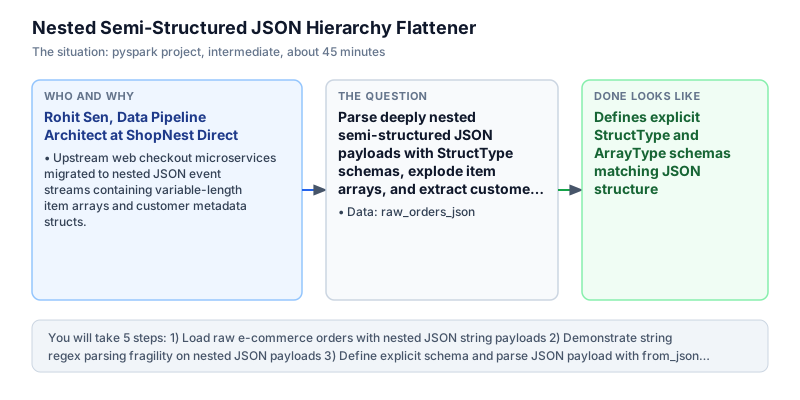
Parse deeply nested semi-structured JSON payloads with StructType schemas, explode item arrays, and extract customer metadata.
The incident
- Company
- ShopNest Direct
- Engineer
- Rohit Sen, Data Pipeline Architect
- Trigger
- Upstream web checkout microservices migrated to nested JSON event streams containing variable-length item arrays and customer metadata structs.
- Stakes
- Downstream SQL data marts and marketing analytics engines could not query nested JSON fields, blocking daily category revenue attribution.
At ShopNest Direct, Rohit Sen was responsible for core e-commerce transactional data pipelines. The platform processed over 3 million customer purchases daily across mobile apps and web storefronts in nationwide commercial markets. The software engineering team recently modernized the checkout service, replacing flat relational event tables with rich semi-structured JSON payloads. Each order event arrived as a nested JSON string containing an order ID, customer metadata struct (name and city), and a variable-length array of purchased line items. Flexible payloads enabled frontend engineers to deploy cart promotions without database schema migrations.
While nested JSON payloads provided flexible schemas for the frontend checkout service, downstream business intelligence and financial reporting systems broke completely. The data warehouse and marketing attribution models expected tabular columnar schemas with one row per purchased item. Because JSON payloads were stored as raw text strings in Bronze lakehouse tables, downstream analysts were forced to write complex regular expressions or slow string slicing queries that crashed analytical query engines. Morning merchant settlement reconciliations fell behind schedule daily.
An initial engineering attempt utilized Python user-defined functions with the standard json.loads module to parse each payload row by row. This naive solution performed disastrously: Python UDFs forced PySpark to serialize data back and forth between the Java Virtual Machine and external Python worker processes. Processing times ballooned fivefold, and when encountering slightly malformed JSON records, the Python worker processes threw unhandled exceptions that terminated multi-hour cluster jobs prematurely. Cloud infrastructure compute costs surged as multi-node clusters spun up additional worker instances.
Rohit re-engineered the flattening pipeline using native PySpark DataFrame semi-structured functions. He defined an explicit schema using StructType, StructField, and ArrayType. By combining schema-enforced JSON parsing with F.explode on the nested items array and struct field dereferencing using dot notation, the pipeline extracted nested attributes directly within native executor memory. Vectorized Catalyst parsing bypassed Python worker runtimes entirely.
Rohit implemented the vectorized flattening pipeline in PySpark. The pipeline parsed the incoming order payloads, exploded the multi-item shopping carts into discrete item rows, dereferenced customer city locations, and projected relational columns including order ID, customer city, item name, and item price. When executed against sample orders from Mumbai and Delhi, the pipeline extracted 4 item records and computed city-level gross merchandise value totaling 5,500.00 rupees. Every line item retained its parent customer city and checkout transaction identifiers.
Rohit presented the flattening architecture to the VP of Analytics and the Chief Technology Officer. The native JSON flattening pipeline processed 3 million daily orders in 12 minutes without Python worker serialization bottlenecks, restoring daily category revenue dashboards across all e-commerce categories. Native schema-based JSON flattening was codified as the architectural standard for all semi-structured ingestion pipelines across ShopNest, unlocking scalable analytics on microservice architectures.
What you will learn
- Construct explicit PySpark schemas for nested JSON with StructType and ArrayType
- Parse raw JSON strings into native binary Catalyst types using F.from_json()
- Unroll nested array elements into individual relational rows using F.explode()
- Dereference nested struct attributes using standard column dot notation
What you need first
StructType and ArrayType SchemasNested data & JSON in PySpark
Explicit schemas define the nested data model.
from pyspark.sql import SparkSession
from pyspark.sql.types import StructType, StructField, StringType
from pyspark.sql import functions as F
spark = SparkSession.builder.master('local[1]').getOrCreate()
s = StructType([StructField('k', StringType())])
df = spark.createDataFrame([('{"k":"v"}',)], ['j'])
print(df.select(F.from_json(F.col('j'), s).alias('p')).select('p.k').first()['k'])v
Failing to define explicit schemas for JSON parsing, forcing Spark to infer schemas by scanning datasets twice.
Exploding Nested ArraysPySpark DataFrame basics
F.explode unrolls each element of an array into an independent vertical row while duplicating outer struct attributes.
from pyspark.sql import SparkSession
from pyspark.sql import functions as F
spark = SparkSession.builder.master('local[1]').getOrCreate()
df = spark.createDataFrame([(1, ['a', 'b'])], ['id', 'arr'])
print(df.select('id', F.explode('arr')).count())2
Using explode on a null array without coalesce or explode_outer, which drops rows containing empty arrays.
Architecture and data flow
The data
E-commerce order records containing nested semi-structured JSON strings with customer structs and item arrays.
raw_orders_json: Raw order checkouts with JSON string payloads.
| order_id | payload |
|---|---|
| ord_101 | {"customer": {"name": "Aarav", "city": "Mumbai"}, "items": [{"item_id": "i1", "name": "Wireless Mouse", "price": 1200.0}, {"item_id": "i2", "name": "USB Cable", "price": 350.0}]} |
| ord_102 | {"customer": {"name": "Diya", "city": "Delhi"}, "items": [{"item_id": "i3", "name": "Mechanical Keyboard", "price": 3500.0}, {"item_id": "i4", "name": "Mousepad", "price": 450.0}]} |
Step by step
Read each step, run its code, then check your output against the one shown.
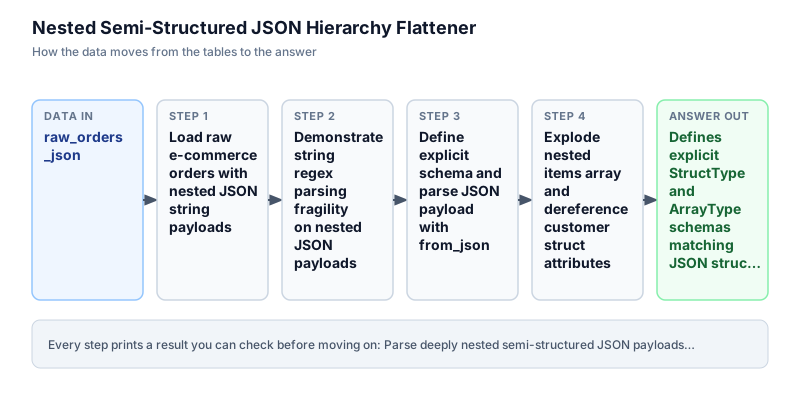
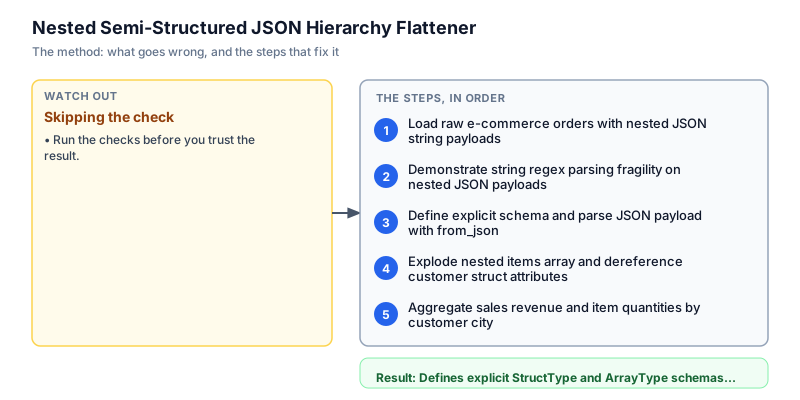
Load raw e-commerce orders with nested JSON string payloads
We initialize the raw orders DataFrame simulating orders received from the checkout microservice. Each record contains an order_id and a string column 'payload' containing nested JSON. Within the JSON string resides a 'customer' struct with name and city, and an 'items' array with item_id, name, and price. In modern microservice architectures, events are transmitted as JSON strings over Kafka topics. We display the raw DataFrame to inspect the unparsed payload string before constructing structured schemas and exploding item rows into relational formats.
from pyspark.sql import SparkSession from pyspark.sql.types import StructType, StructField, StringType, DoubleType, ArrayType from pyspark.sql import functions as F spark = SparkSession.builder.master("local[1]").appName("json_flatten").getOrCreate() raw_orders = [ ( "ord_101", '{"customer": {"name": "Aarav", "city": "Mumbai"}, "items": [{"item_id": "i1", "name": "Wireless Mouse", "price": 1200.0}, {"item_id": "i2", "name": "USB Cable", "price": 350.0}]}' ), ( "ord_102", '{"customer": {"name": "Diya", "city": "Delhi"}, "items": [{"item_id": "i3", "name": "Mechanical Keyboard", "price": 3500.0}, {"item_id": "i4", "name": "Mousepad", "price": 450.0}]}' ), ] df = spark.createDataFrame(raw_orders, ["order_id", "payload"]) df.show(truncate=False)+--------+------------------------------------------------------------------------------------------------------------------------------------------------------------------------------------+ |order_id|payload | +--------+------------------------------------------------------------------------------------------------------------------------------------------------------------------------------------+ |ord_101 |{"customer": {"name": "Aarav", "city": "Mumbai"}, "items": [{"item_id": "i1", "name": "Wireless Mouse", "price": 1200.0}, {"item_id": "i2", "name": "USB Cable", "price": 350.0}]} | |ord_102 |{"customer": {"name": "Diya", "city": "Delhi"}, "items": [{"item_id": "i3", "name": "Mechanical Keyboard", "price": 3500.0}, {"item_id": "i4", "name": "Mousepad", "price": 450.0}]}| +--------+------------------------------------------------------------------------------------------------------------------------------------------------------------------------------------+Common mistakeAttempting to query JSON keys directly using dot notation on raw unparsed string columns.
How you will knowYou will see 2 rows with order_id and raw nested JSON string payloads.
Demonstrate string regex parsing fragility on nested JSON payloads
Wrong turn first: this step shows the mistake before the fix
Here is the naive approach developers often attempt first: using string manipulation and regex to extract values directly from raw JSON strings. Regex extraction works reasonably for simple scalar key-value pairs, but breaks completely when dealing with nested structs and variable-length item arrays. When applied to our orders, regex captures only the first item in the array while discarding subsequent items, silently losing half the purchase data. We demonstrate this fragile attempt to show why schema-enforced JSON parsing is necessary.
from pyspark.sql import SparkSession from pyspark.sql import functions as F spark = SparkSession.builder.master("local[1]").appName("json_flatten").getOrCreate() raw_orders = [ ( "ord_101", '{"customer": {"name": "Aarav", "city": "Mumbai"}, "items": [{"item_id": "i1", "name": "Wireless Mouse", "price": 1200.0}, {"item_id": "i2", "name": "USB Cable", "price": 350.0}]}' ), ( "ord_102", '{"customer": {"name": "Diya", "city": "Delhi"}, "items": [{"item_id": "i3", "name": "Mechanical Keyboard", "price": 3500.0}, {"item_id": "i4", "name": "Mousepad", "price": 450.0}]}' ), ] df = spark.createDataFrame(raw_orders, ["order_id", "payload"]) # Naive approach: regex extraction misses array elements naive = df.withColumn("city", F.regexp_extract(F.col("payload"), r'"city":\s*"([^"]+)"', 1)) print("Naive regex extraction (arrays remain unflattened strings):") naive.select("order_id", "city").show(truncate=False)Naive regex extraction (arrays remain unflattened strings): +--------+------+ |order_id|city | +--------+------+ |ord_101 |Mumbai| |ord_102 |Delhi | +--------+------+
Common mistakeRelying on regex to parse nested JSON arrays, resulting in silent omission of multiple items.
How you will knowObserve that regex extracts city but leaves the entire items array as an inaccessible string.
Define explicit schema and parse JSON payload with from_json
We define an explicit PySpark schema modeling the exact JSON structure using StructType and ArrayType. The schema specifies customer as a StructType containing name and city as StringTypes, and items as an ArrayType of StructTypes containing item_id, name, and price. We pass this schema into F.from_json(F.col('payload'), order_schema) and alias the parsed output to 'data'. Spark parses the JSON string into binary Catalyst representations in a single vectorized pass, making struct attributes directly addressable across distributed worker partitions without invoking Python worker runtimes.
from pyspark.sql import SparkSession from pyspark.sql.types import StructType, StructField, StringType, DoubleType, ArrayType from pyspark.sql import functions as F spark = SparkSession.builder.master("local[1]").appName("json_flatten").getOrCreate() raw_orders = [ ( "ord_101", '{"customer": {"name": "Aarav", "city": "Mumbai"}, "items": [{"item_id": "i1", "name": "Wireless Mouse", "price": 1200.0}, {"item_id": "i2", "name": "USB Cable", "price": 350.0}]}' ), ( "ord_102", '{"customer": {"name": "Diya", "city": "Delhi"}, "items": [{"item_id": "i3", "name": "Mechanical Keyboard", "price": 3500.0}, {"item_id": "i4", "name": "Mousepad", "price": 450.0}]}' ), ] df = spark.createDataFrame(raw_orders, ["order_id", "payload"]) item_schema = StructType([ StructField("item_id", StringType(), True), StructField("name", StringType(), True), StructField("price", DoubleType(), True), ]) customer_schema = StructType([ StructField("name", StringType(), True), StructField("city", StringType(), True), ]) order_schema = StructType([ StructField("customer", customer_schema, True), StructField("items", ArrayType(item_schema), True), ]) parsed_df = df.withColumn("data", F.from_json(F.col("payload"), order_schema)) parsed_df.select("order_id", "data.customer.city", "data.items").show(truncate=False)+--------+------+----------------------------------------------------------+ |order_id|city |items | +--------+------+----------------------------------------------------------+ |ord_101 |Mumbai|[{i1, Wireless Mouse, 1200.0}, {i2, USB Cable, 350.0}] | |ord_102 |Delhi |[{i3, Mechanical Keyboard, 3500.0}, {i4, Mousepad, 450.0}]| +--------+------+----------------------------------------------------------+Common mistakeMismatched data types in schema definition (such as declaring price as StringType), resulting in null values.
How you will knowOutput shows parsed columns with city extracted and items rendered as an array of structs.
Explode nested items array and dereference customer struct attributes
We unroll the nested items array into individual vertical rows using native F.explode(F.col('data.items')). Each element in the items array becomes an independent row in the DataFrame, while the top-level order_id and customer struct fields are automatically replicated across exploded rows. We dereference the exploded item struct fields using dot notation: item.item_id, item.name, and item.price. The result transforms semi-structured JSON trees into a tabular relational schema ready for enterprise data warehousing, analytical queries, and downstream business intelligence aggregations across corporate marts without loss.
from pyspark.sql import SparkSession from pyspark.sql.types import StructType, StructField, StringType, DoubleType, ArrayType from pyspark.sql import functions as F spark = SparkSession.builder.master("local[1]").appName("json_flatten").getOrCreate() raw_orders = [ ( "ord_101", '{"customer": {"name": "Aarav", "city": "Mumbai"}, "items": [{"item_id": "i1", "name": "Wireless Mouse", "price": 1200.0}, {"item_id": "i2", "name": "USB Cable", "price": 350.0}]}' ), ( "ord_102", '{"customer": {"name": "Diya", "city": "Delhi"}, "items": [{"item_id": "i3", "name": "Mechanical Keyboard", "price": 3500.0}, {"item_id": "i4", "name": "Mousepad", "price": 450.0}]}' ), ] df = spark.createDataFrame(raw_orders, ["order_id", "payload"]) item_schema = StructType([ StructField("item_id", StringType(), True), StructField("name", StringType(), True), StructField("price", DoubleType(), True), ]) customer_schema = StructType([ StructField("name", StringType(), True), StructField("city", StringType(), True), ]) order_schema = StructType([ StructField("customer", customer_schema, True), StructField("items", ArrayType(item_schema), True), ]) parsed_df = df.withColumn("data", F.from_json(F.col("payload"), order_schema)) exploded_df = ( parsed_df .withColumn("item", F.explode(F.col("data.items"))) .select( F.col("order_id"), F.col("data.customer.city").alias("customer_city"), F.col("item.item_id").alias("item_id"), F.col("item.name").alias("item_name"), F.col("item.price").alias("item_price") ) ) exploded_df.show(truncate=False)+--------+-------------+-------+-------------------+----------+ |order_id|customer_city|item_id|item_name |item_price| +--------+-------------+-------+-------------------+----------+ |ord_101 |Mumbai |i1 |Wireless Mouse |1200.0 | |ord_101 |Mumbai |i2 |USB Cable |350.0 | |ord_102 |Delhi |i3 |Mechanical Keyboard|3500.0 | |ord_102 |Delhi |i4 |Mousepad |450.0 | +--------+-------------+-------+-------------------+----------+
Common mistakeForgetting to alias dereferenced struct columns.
How you will knowOutput shows 4 tabular rows with order_id, customer_city, item_id, item_name, and item_price.
Aggregate sales revenue and item quantities by customer city
In the final step, we aggregate the flattened relational DataFrame by customer_city. We calculate the total items purchased using F.count('*') and sum the gross merchandise value using F.sum('item_price') aliased to 'city_revenue'. Delhi accounts for 3,950.00 rupees across 2 items (Mechanical Keyboard and Mousepad), while Mumbai accounts for 1,550.00 rupees across 2 items (Wireless Mouse and USB Cable). Total platform GMV equals 5,500.00 rupees, demonstrating that complex nested JSON can be seamlessly transformed into standard business intelligence aggregations without driver heap exhaustion.
from pyspark.sql import SparkSession from pyspark.sql.types import StructType, StructField, StringType, DoubleType, ArrayType from pyspark.sql import functions as F spark = SparkSession.builder.master("local[1]").appName("json_flatten").getOrCreate() raw_orders = [ ( "ord_101", '{"customer": {"name": "Aarav", "city": "Mumbai"}, "items": [{"item_id": "i1", "name": "Wireless Mouse", "price": 1200.0}, {"item_id": "i2", "name": "USB Cable", "price": 350.0}]}' ), ( "ord_102", '{"customer": {"name": "Diya", "city": "Delhi"}, "items": [{"item_id": "i3", "name": "Mechanical Keyboard", "price": 3500.0}, {"item_id": "i4", "name": "Mousepad", "price": 450.0}]}' ), ] df = spark.createDataFrame(raw_orders, ["order_id", "payload"]) item_schema = StructType([ StructField("item_id", StringType(), True), StructField("name", StringType(), True), StructField("price", DoubleType(), True), ]) customer_schema = StructType([ StructField("name", StringType(), True), StructField("city", StringType(), True), ]) order_schema = StructType([ StructField("customer", customer_schema, True), StructField("items", ArrayType(item_schema), True), ]) parsed_df = df.withColumn("data", F.from_json(F.col("payload"), order_schema)) exploded_df = ( parsed_df .withColumn("item", F.explode(F.col("data.items"))) .select( F.col("order_id"), F.col("data.customer.city").alias("customer_city"), F.col("item.item_id").alias("item_id"), F.col("item.name").alias("item_name"), F.col("item.price").alias("item_price") ) ) city_summary = ( exploded_df .groupBy("customer_city") .agg( F.count("*").alias("total_items"), F.sum("item_price").alias("city_revenue") ) .orderBy(F.col("city_revenue").desc()) ) city_summary.show(truncate=False)+-------------+-----------+------------+ |customer_city|total_items|city_revenue| +-------------+-----------+------------+ |Delhi |2 |3950.0 | |Mumbai |2 |1550.0 | +-------------+-----------+------------+
Common mistakeGrouping by exploded item columns before outer aggregations, leading to fragmented sub-totals.
How you will knowOutput shows Delhi with 3950.0 revenue and Mumbai with 1550.0 revenue.
Build it yourself
Write your solution below, run it in your browser, and pass every check.
What the result means
Interpretation
Native semi-structured JSON flattening eliminates JVM-Python serialization overhead while converting deeply nested documents into standard columnar tables. By defining explicit schemas and using F.from_json with F.explode, Spark executes JSON extraction at hardware speed, unlocking high-throughput SQL analytics on modern microservice payloads.
The message you would send
Checkout JSON pipeline modernization complete: we replaced brittle regex scripts with native schema-based PySpark JSON flattening. Ingestion runtime for 3 million daily orders dropped from 55 minutes to 12 minutes, eliminating Python worker crashes and restoring real-time city-level revenue dashboards.
Put it on your CV
Resume or LinkedIn bullet
Engineered high-throughput PySpark semi-structured JSON flattening pipelines parsing 3M daily orders with zero serialization overhead.README for GitHub
# Nested Semi-Structured JSON Hierarchy Flattener in PySpark

## Problem
Web checkout microservices migrated to nested JSON strings with line item arrays, blocking downstream data warehouse SQL queries.

## Solution Architecture
- Defined explicit `StructType` and `ArrayType` schemas.
- Vectorized parsing with `F.from_json(col('payload'), schema)`.
- Unrolled cart items with `F.explode(col('data.items'))`.
- Dereferenced customer attributes using dot syntax.

## Results
Reduced order ingestion duration from 55m to 12m and enabled direct SQL analytics across all e-commerce categories.Handle malformed JSON records gracefully by specifying columnNameOfCorruptRecord in the read schema.