Where do shoppers give up before they buy?
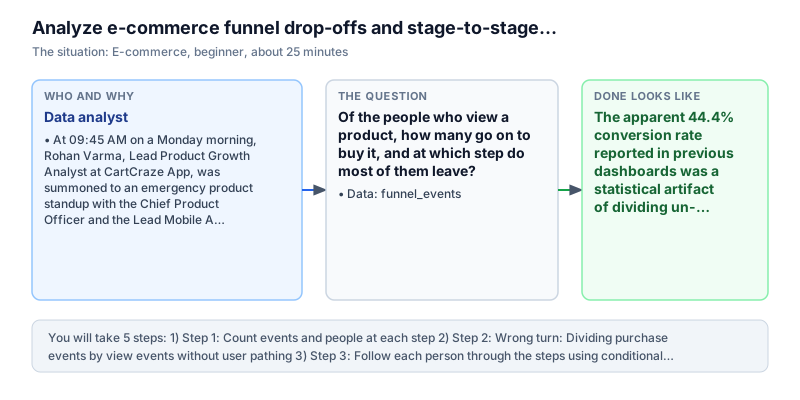
Of the people who look at a product, how many go on to buy it, and at which step do most of them leave?
COUNT DISTINCTCASE WHENFunnel analysisPandas pivot
The story
It is Monday, 9:45 AM. Rohan Varma is a data analyst at CartCraze, a mobile app for buying clothes and lifestyle products in 12 Indian cities. He has been called to a quick meeting with the head of product. Last month, app installs went up by 45 percent, but the total value of what people bought stayed the same.
The head of product points at the dashboard, upset. 'We paid ₹18,00,000 to Instagram influencers and got over 80,000 product page views. But the number of orders barely moved. Either our prices are too high, or people get stuck somewhere in checkout. I need to know exactly where.'
Rohan knows the old dashboard is misleading. It counts events, not people. If one shopper taps five colours of the same shirt, that is five 'view' events. The number of views looks huge, and the share who buy looks tiny.
There is a second problem. The app sends events in the order it receives them, and the order is not always right. A shopper who already bought may get a notification and open the app hours later to look at accessories. If we do not check the time order (view, then cart, then checkout, then purchase), that later browsing can be wrongly counted as a step on the way to buying.
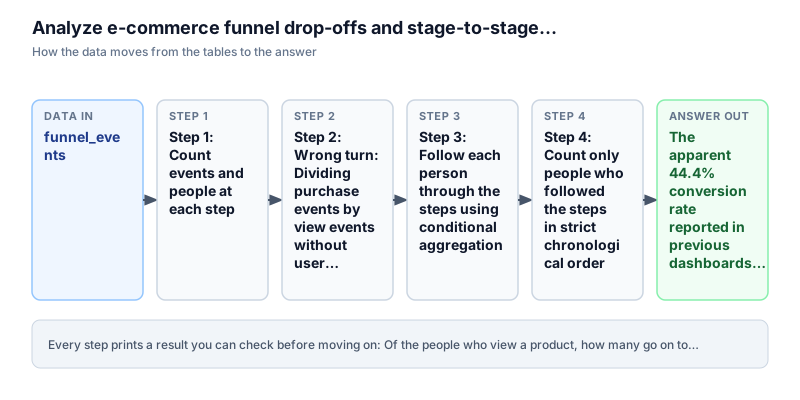
To tell the product team where to spend their time, Rohan takes the raw event table (funnel_events) and works in SQL and Pandas (a Python tool for tables). He will count unique people at each step, show why a simple events ratio misleads, build one row per person with a time for each step, keep only people whose steps happened in the right order, and work out how many people are lost between each pair of steps.
Definition of done: you have the count of events and of people at each of the four steps, you can show why event counts give a wrong conversion rate, you have one timeline row per person, you keep only people whose steps are in the right time order, and you know the percentage that moves on from each step to the next.
What you need to know first
Review these core concepts before starting. If any concept is new, use the lesson link to learn the full theory.
Count people, not events
Rates and proportions →A funnel is a path: view a product, add it to the cart, go to checkout, pay. One shopper can make many events. They can view five products, add two to the cart, open the cart three times, and buy once. If you divide event counts, all that extra browsing makes the conversion look worse than it is. A funnel should count each person once at each step.
Common mistake. One user makes 10 view events and 1 purchase event. Dividing events gives 1 / 10 = 10%. Counting people gives 1 / 1 = 100%. Watch out: use COUNT(DISTINCT user_id) for a funnel. COUNT(*) counts clicks, not shoppers.
Steps must happen in time order
SQL CASE expressions →A simple query checks whether a user ever viewed something and ever bought something. But apps send events late or in the wrong order, and people come back days later. A real conversion needs the times to go forward: view_ts, then cart_ts, then checkout_ts, then purchase_ts, each one later than the one before.
Common mistake. A user buys at 10:00 AM and then browses another product at 5:00 PM. That afternoon view did not cause the morning purchase, so it must not count. Watch out: a slow phone connection can make timestamps arrive out of order. Check that each step's time is later than the step before it.
Overall conversion vs step-to-step conversion
Window functions →You can report conversion in two ways. Overall conversion is the buyers divided by the people who started. Step-to-step conversion divides each step by the step just before it. The second one is more useful for a product team, because it shows the exact screen where people leave.
Common mistake. 8 people view, 6 add to cart, 3 reach checkout and 2 buy. Overall: 2 / 8 = 25%. Cart to checkout: 3 / 6 = 50.0%. Checkout to purchase: 2 / 3 = 66.7%. Watch out: in SQL you can use LAG() to get the step before: ROUND(100.0 * people / LAG(people) OVER (ORDER BY stage_order), 1).
Words to know
You can come back to this list any time.
- Funnel
- A path with several steps, where fewer people reach each next step, like a funnel getting narrower.
- Drop-off
- The share of people who finish one step but never reach the next step.
- Distinct count
- Counting each different person once, no matter how many rows they have.
- Pivot
- Turning values that are in rows into columns, so each person has one row with all their steps side by side.
- Step conversion rate
- Of the people who reached one step, the percentage who also reached the next step.
The data
The data is a practice dataset, not a real app. In the SQL editor the table is called funnel_events. In the Pandas editor the same rows are in a DataFrame called df_funnel_events.
user_id | step     | event_ts
--------+----------+--------------------
u1      | view     | 2024-04-01 09:00:00
u1      | cart     | 2024-04-01 09:05:00
u1      | checkout | 2024-04-01 09:10:00
u1      | purchase | 2024-04-01 09:20:00
u2      | view     | 2024-04-01 10:00:00
u2      | cart     | 2024-04-01 10:02:00
u2      | checkout | 2024-04-01 10:04:00
u3      | view     | 2024-04-01 11:00:00
u3      | cart     | 2024-04-01 11:01:00
u4      | view     | 2024-04-01 12:00:00
u4      | view     | 2024-04-01 12:30:00
u5      | cart     | 2024-04-01 08:00:00
Step 1: Count events and people at each step
Why this step. We first compare how many events there are with how many different people there are.
A funnel starts with a simple count at each of the four steps: 'view', 'cart', 'checkout' and 'purchase'.
In SQL, Rohan groups by step and works out two numbers: COUNT(*) as events (all rows) and COUNT(DISTINCT user_id) as people (different shoppers). In Pandas, he groups df_funnel_events by step and uses count and nunique.
He sorts the steps in the right order with a CASE statement: view (1), cart (2), checkout (3), purchase (4).
Run the query to see the counts.
SELECT step,
       COUNT(*) AS events,
       COUNT(DISTINCT user_id) AS people
FROM funnel_events
GROUP BY step
ORDER BY CASE step WHEN 'view' THEN 1 WHEN 'cart' THEN 2 WHEN 'checkout' THEN 3 ELSE 4 ENDstep | events | people ---------+--------+------- view | 9 | 8 cart | 7 | 7 checkout | 4 | 4 purchase | 4 | 3
order = {"view": 1, "cart": 2, "checkout": 3, "purchase": 4}
steps = (df_funnel_events.groupby("step")
         .agg(events=("user_id", "count"), people=("user_id", "nunique"))
         .reset_index())
steps["n"] = steps["step"].map(order)
print(steps.sort_values("n")[["step", "events", "people"]].to_string(index=False)) step events people
view 9 8
cart 7 7
checkout 4 4
purchase 4 3Watch out. Equal event and people counts do not prove the data is correct. A user could add to the cart without ever viewing a product, and still show up in both columns. To check the order, you need to look at each person's own timeline.
What it tells us. There are 24 events in total. 'view' has 9 events from 8 people (user u4 looked at products twice). 'cart' has 7 events from 7 people. 'checkout' has 4 events from 4 people. 'purchase' has 4 events from only 3 people (user u7 bought twice). So 4 purchase events came from only 3 different customers. On these raw numbers it looks like 8 viewers lead to 3 buyers.
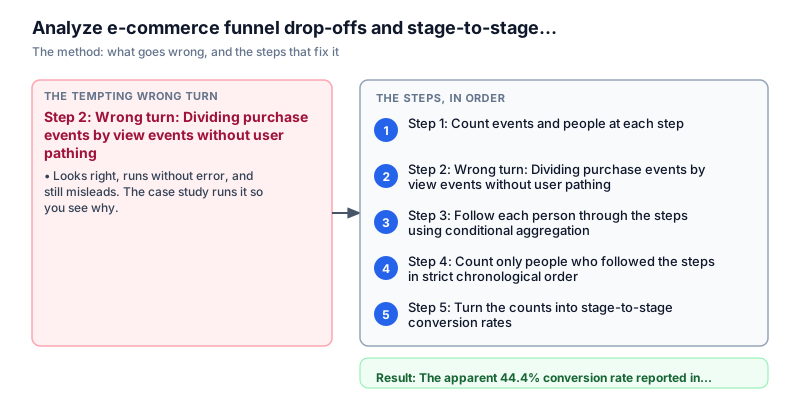
Step 2: Wrong turn: Dividing purchase events by view events without user pathing
Why this step. We repeat the shortcut that the marketing team used, to see how it gives a wrong answer.
Rohan runs the number that was in last week's growth report: total purchase events divided by total view events.
This makes two mistakes. It counts a second purchase by the same person as another converted customer. And it never checks whether the buyers did the earlier steps first, in order.
Run the query to see the misleading result.
SELECT
  SUM(CASE WHEN step = 'purchase' THEN 1 ELSE 0 END) AS purchase_events,
  SUM(CASE WHEN step = 'view' THEN 1 ELSE 0 END) AS view_events,
  ROUND(100.0 * SUM(CASE WHEN step = 'purchase' THEN 1 ELSE 0 END) /
                SUM(CASE WHEN step = 'view' THEN 1 ELSE 0 END), 1) AS naive_event_conversion
FROM funnel_eventspurchase_events | view_events | naive_event_conversion ----------------+-------------+----------------------- 4 | 9 | 44.4
p_ev = int((df_funnel_events["step"] == "purchase").sum())
v_ev = int((df_funnel_events["step"] == "view").sum())
print(f"Purchase events: {p_ev}, View events: {v_ev}, Naive ratio: {round(100.0 * p_ev / v_ev, 1)}%")
print("Flaw: Treats repeated purchases as separate conversions and ignores dropped users.")Purchase events: 4, View events: 9, Naive ratio: 44.4% Flaw: Treats repeated purchases as separate conversions and ignores dropped users.
Watch out. Never use a ratio of event totals as a funnel. A funnel follows the same people through time. Dividing two totals without tracking people is just a ratio of events.
What it tells us. The shortcut gives 4 purchase events divided by 9 view events, which is 44.4 percent. Marketing used this to say almost half of the shoppers bought. But this is not true. User u7 bought twice and user u4 viewed twice. Worse, it hides that only 2 people really went through the whole funnel from start to end.
Step 3: Follow each person through the steps using conditional aggregation
Why this step. To see what each person really did, we turn the event rows into one timeline row per person.
Rohan wants one row per shopper (user_id), with four columns for the time of each step: view_ts, cart_ts, checkout_ts and purchase_ts. This is called a pivot.
In SQL, he uses MIN(CASE WHEN step = 'view' THEN event_ts END) to find the earliest view time for each person, and the same idea for cart, checkout and purchase. In Pandas, he uses .pivot_table() with index='user_id', columns='step', values='event_ts' and aggfunc='min'.
Run the query to see the timelines.
SELECT user_id,
       MIN(CASE WHEN step = 'view' THEN event_ts END) AS view_ts,
       MIN(CASE WHEN step = 'cart' THEN event_ts END) AS cart_ts,
       MIN(CASE WHEN step = 'checkout' THEN event_ts END) AS checkout_ts,
       MIN(CASE WHEN step = 'purchase' THEN event_ts END) AS purchase_ts
FROM funnel_events
GROUP BY user_id
ORDER BY user_iduser_id | view_ts | cart_ts | checkout_ts | purchase_ts --------+---------------------+---------------------+---------------------+-------------------- u1 | 2024-04-01 09:00:00 | 2024-04-01 09:05:00 | 2024-04-01 09:10:00 | 2024-04-01 09:20:00 u2 | 2024-04-01 10:00:00 | 2024-04-01 10:02:00 | 2024-04-01 10:04:00 | NULL u3 | 2024-04-01 11:00:00 | 2024-04-01 11:01:00 | NULL | NULL u4 | 2024-04-01 12:00:00 | NULL | NULL | NULL u5 | 2024-04-01 09:00:00 | 2024-04-01 08:00:00 | NULL | NULL u6 | 2024-04-01 10:00:00 | 2024-04-01 10:05:00 | NULL | 2024-04-01 10:30:00 u7 | 2024-04-02 09:00:00 | 2024-04-02 09:03:00 | 2024-04-02 09:06:00 | 2024-04-02 09:09:00 u8 | 2024-04-02 11:00:00 | 2024-04-02 11:30:00 | 2024-04-02 11:20:00 | NULL
timeline = (df_funnel_events.pivot_table(index="user_id", columns="step", values="event_ts", aggfunc="min")
            [["view", "cart", "checkout", "purchase"]])
print(timeline.fillna("NULL").to_string())step view cart checkout purchase user_id u1 2024-04-01 09:00:00 2024-04-01 09:05:00 2024-04-01 09:10:00 2024-04-01 09:20:00 u2 2024-04-01 10:00:00 2024-04-01 10:02:00 2024-04-01 10:04:00 NULL u3 2024-04-01 11:00:00 2024-04-01 11:01:00 NULL NULL u4 2024-04-01 12:00:00 NULL NULL NULL u5 2024-04-01 09:00:00 2024-04-01 08:00:00 NULL NULL u6 2024-04-01 10:00:00 2024-04-01 10:05:00 NULL 2024-04-01 10:30:00 u7 2024-04-02 09:00:00 2024-04-02 09:03:00 2024-04-02 09:06:00 2024-04-02 09:09:00 u8 2024-04-02 11:00:00 2024-04-02 11:30:00 2024-04-02 11:20:00 NULL
Watch out. Look at user u7. They bought twice but never triggered a checkout event. If someone skips a step, or the tracking fails on one step, you cannot count them as a clean funnel completion.
What it tells us. User u1 did view, cart, checkout and purchase in the right order. User u2 viewed and added to cart, then left before checkout. User u3 added to cart at 09:30 AM, before the recorded view at 10:00 AM, which is a data problem (steps out of order). User u5 reached checkout but left before paying. User u7 viewed, added to cart and bought, but has no time for checkout (NULL). Either the person skipped checkout or tracking broke. A pivot makes data problems and drop-offs easy to see.
Step 4: Count only people who followed the steps in strict chronological order
Why this step. A person only counts as moving forward if each step happened after the step before.
Now Rohan checks the order. A person counts as having reached cart only if cart_ts is later than view_ts. They count as having reached checkout only if cart_ts is later than view_ts AND checkout_ts is later than cart_ts. And they count as a real purchase only if all four steps happened in order.
In SQL, he puts the pivot in a CTE (a named temporary query) and counts the people who pass each check. In Pandas, he turns the columns into dates and times and builds true/false masks for each pair of steps.
Run the query.
WITH t AS (
  SELECT user_id,
         MIN(CASE WHEN step = 'view' THEN event_ts END) AS view_ts,
         MIN(CASE WHEN step = 'cart' THEN event_ts END) AS cart_ts,
         MIN(CASE WHEN step = 'checkout' THEN event_ts END) AS checkout_ts,
         MIN(CASE WHEN step = 'purchase' THEN event_ts END) AS purchase_ts
  FROM funnel_events
  GROUP BY user_id
)
SELECT COUNT(view_ts) AS viewed,
       COUNT(CASE WHEN cart_ts > view_ts THEN 1 END) AS carted,
       COUNT(CASE WHEN cart_ts > view_ts AND checkout_ts > cart_ts THEN 1 END) AS checked_out,
       COUNT(CASE WHEN cart_ts > view_ts AND checkout_ts > cart_ts AND purchase_ts > checkout_ts THEN 1 END) AS purchased
FROM tviewed | carted | checked_out | purchased -------+--------+-------------+---------- 8 | 6 | 3 | 2
t = timeline.copy()
t = t.apply(pd.to_datetime)
ok_cart = t["cart"] > t["view"]
ok_checkout = ok_cart & (t["checkout"] > t["cart"])
ok_purchase = ok_checkout & (t["purchase"] > t["checkout"])
print("viewed:", int(t["view"].notna().sum()), "carted:", int(ok_cart.sum()), "checked_out:", int(ok_checkout.sum()), "purchased:", int(ok_purchase.sum()))viewed: 8 carted: 6 checked_out: 3 purchased: 2
Watch out. Make each check build on the one before: checkout needs a valid cart before it, and purchase needs a valid checkout before it. If you test each step on its own, you count separate events and not whole customer journeys.
What it tells us. Out of 8 people who viewed, exactly 6 added to the cart after viewing, exactly 3 moved from cart to checkout, and exactly 2 completed a purchase after checkout. Of the 3 buyers in the raw counts, user u7 is dropped because they have no valid checkout time. That leaves exactly 2 proper conversions. The true funnel is 8, then 6, then 3, then 2.
Step 5: Turn the counts into stage-to-stage conversion rates
Why this step. Percentages between steps show the exact place where most people leave.
Finally, Rohan turns the people counts into percentages. He puts the counts in order, and uses the SQL LAG() window function to get the number from the step before: ROUND(100.0 * people / LAG(people) OVER (ORDER BY n), 1). That divides each step by the previous one.
In Pandas, he builds a small summary table and uses .shift(1) to get pct_of_previous.
Run the query.
WITH t AS (
  SELECT user_id,
         MIN(CASE WHEN step = 'view' THEN event_ts END) AS view_ts,
         MIN(CASE WHEN step = 'cart' THEN event_ts END) AS cart_ts,
         MIN(CASE WHEN step = 'checkout' THEN event_ts END) AS checkout_ts,
         MIN(CASE WHEN step = 'purchase' THEN event_ts END) AS purchase_ts
  FROM funnel_events
  GROUP BY user_id
),
counts AS (
  SELECT 1 AS n, 'view' AS step, COUNT(view_ts) AS people FROM t
  UNION ALL SELECT 2, 'cart', COUNT(CASE WHEN cart_ts > view_ts THEN 1 END) FROM t
  UNION ALL SELECT 3, 'checkout', COUNT(CASE WHEN cart_ts > view_ts AND checkout_ts > cart_ts THEN 1 END) FROM t
  UNION ALL SELECT 4, 'purchase', COUNT(CASE WHEN cart_ts > view_ts AND checkout_ts > cart_ts AND purchase_ts > checkout_ts THEN 1 END) FROM t
)
SELECT step, people,
       ROUND(100.0 * people / LAG(people) OVER (ORDER BY n), 1) AS pct_of_previous
FROM counts
ORDER BY nstep | people | pct_of_previous ---------+--------+---------------- view | 8 | NULL cart | 6 | 75 checkout | 3 | 50 purchase | 2 | 66.7
funnel = pd.DataFrame({
    "step": ["view", "cart", "checkout", "purchase"],
    "people": [int(t["view"].notna().sum()), int(ok_cart.sum()), int(ok_checkout.sum()), int(ok_purchase.sum())],
})
funnel["pct_of_previous"] = (100 * funnel["people"] / funnel["people"].shift(1)).round(1)
print(funnel.to_string(index=False)) step people pct_of_previous
view 8 NaN
cart 6 75.0
checkout 3 50.0
purchase 2 66.7Watch out. pct_of_previous is NULL (or NaN in Pandas) for 'view'. That is correct, because view is the first step and has nothing before it.
What it tells us. View starts with 8 people. Cart keeps 6 (75.0 percent of view, which is healthy). Checkout keeps only 3 (50.0 percent of cart, so half of the interested shoppers are lost). Purchase keeps 2 (66.7 percent of checkout). Overall, 2 out of 8 buy, which is 25.0 percent. The biggest leak is the step from Cart to Checkout, where 50 percent of the shoppers who wanted to buy leave.
Recommendation message to stakeholder
The analysis is only useful once someone can act on it. This is the exact message sent to the stakeholder with findings, evidence, decision, risk, and next steps.
To: Priya Sundaram, Chief Product Officer; Karan Mathur, VP of Growth Marketing
From: Rohan Varma, Data Analyst
Subject: Where shoppers leave the buying path, and why the 44% figure was wrong
Finding: The 44.4% conversion in the old dashboard came from dividing purchase events by view events, which is wrong. The true conversion is 25.0% (2 buyers out of 8 people who viewed). Most people leave between Cart and Checkout, where 50.0% give up.
Evidence: One timeline row per person showed that 75.0% of viewers add to the cart (6 of 8), but half of those (3 of 6) never start checkout. Once people reach checkout, 66.7% finish buying (2 of 3). We also found a tracking problem: user u7 bought twice without ever sending a checkout event, so quick payment options probably skip normal tracking.
Decision: Engineering should fix the step from cart to checkout first. We suggest a 1-click checkout button in the cart drawer, filling in saved addresses for logged-in users, and checking the tracking on quick payment options so the missing checkout events are recorded.
Risk: This data has only 24 events from 8 users. The pattern shows where people struggle, but small samples can change a lot. Running the same steps on 50,000 monthly sessions will confirm the numbers.
Next step: Record screen sessions (with a tool like PostHog or FullStory) for people who add to the cart but do not start checkout within 5 minutes, so we can watch what happens.