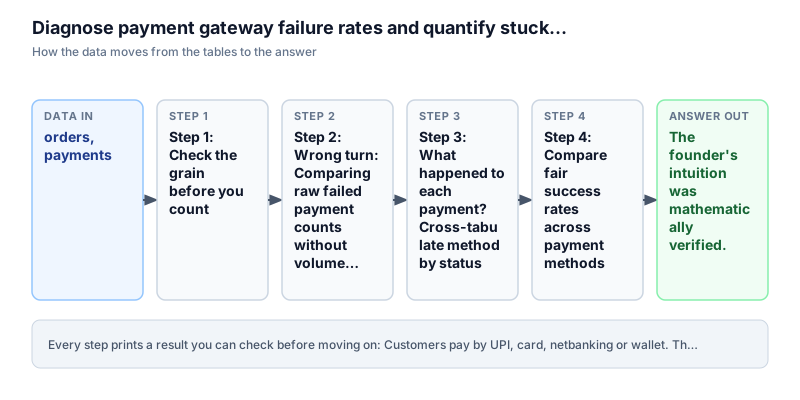
Which way of paying fails the most, and what does it cost us?
Customers pay by UPI, card, netbanking or wallet. The founder thinks one of them fails too often. Is she right, and how much money does it cost?
Checking grainCASE WHENJOINRates and percentages
The story
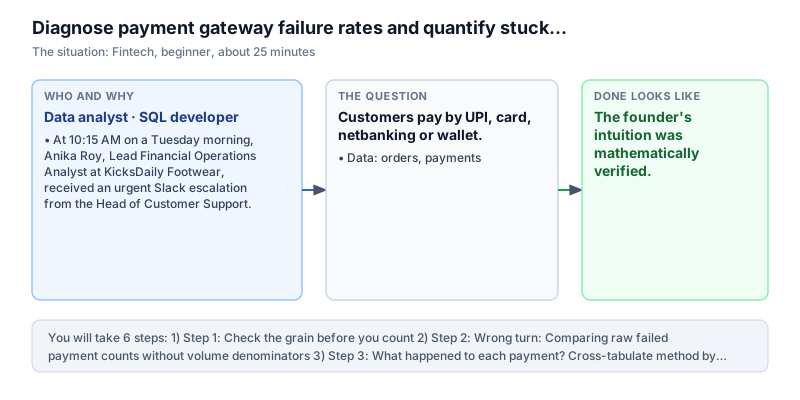
It is Tuesday, 10:15 AM. Anika Roy is a data analyst at KicksDaily, an online shoe shop that sells about 25,000 pairs a month across India. The support team has sent her an urgent message. Many angry customers say money left their bank account, but their order still shows 'pending' on the website.
The founder walks over and says: 'UPI is losing us money! Customers keep telling me Google Pay and PhonePe crash at checkout. Let's remove UPI and make everyone pay by card or netbanking.'
Anika says to wait. 'In India, most online payments are made by UPI. If we remove it based on a few complaints, far fewer people will finish their purchase. Let me check the numbers first.'
'Fine, show me,' the founder says. 'Which payment method is really failing? How much money is stuck in pending orders? And how much are we paying back in refunds?'
Anika knows that a feeling is not proof. A payment method can have more failures just because more people use it. So she needs fair comparisons. She will check what one row in the table means, compare success rates for UPI, card, netbanking and wallet, link failed payments to order values, and look at refunds.
She loads the payment records (150 payments) and the order records (180 orders), and works in both SQL and Pandas (a Python tool for tables).
Definition of done: you know what one row in the payments table means, you have a count of each result for each payment method, you can show why raw failure counts are misleading, you have a success percentage for each method, you know how many rupees are stuck in pending orders, and you know the refunds for each method.
What you need to know first
Review these core concepts before starting. If any concept is new, use the lesson link to learn the full theory.
What does one row mean? (the grain)
SQL aggregations →Before you count anything, ask: what does one row in this table stand for? A payments table might have one row per order, or several rows per order if the customer tries again after a failure. If one order has several payment rows, counting rows or adding up order values gives wrong answers.
Common mistake. A customer tries to pay ₹1,000 for shoes twice: the first try fails, the second works. If you count payment rows without checking, it looks like ₹2,000 of shoes were ordered. Watch out: check first. Count the payment rows per order, then look at the smallest and largest count: SELECT MIN(n), MAX(n) FROM (SELECT order_id, COUNT(*) AS n FROM payments GROUP BY order_id). If the largest is more than 1, one row is not one order.
Compare rates, not raw counts
Rates and proportions →A method used by many people will have more failures than a method used by few people, even if it is better. To compare fairly, divide failures by the total number of tries. That gives a percentage.
Common mistake. Method A has 1,000 tries and 50 failures: 5 percent. Method B has 100 tries and 20 failures: 20 percent. A has more failures, but B is four times worse. In our data, UPI has 12 failures out of 43 tries (27.9 percent) and Wallet has 5 failures out of 39 (12.8 percent). Watch out: never judge a payment method by failure counts alone. Divide by the total tries, for example with SUM(CASE WHEN ... THEN 1 ELSE 0 END).
Joining two tables to get rupee values
SQL joins →The payments table says whether a payment worked, but it does not say what the order was worth. The orders table has the value. To get both, you join the tables on the shared column order_id. Then you can add up the value of orders whose payment failed.
Common mistake. SELECT p.method, SUM(o.order_total) FROM payments p JOIN orders o ON o.order_id = p.order_id WHERE p.status = 'failed' GROUP BY p.method. Watch out: if one order has several payment rows, the join repeats that order's value for each row, and the total becomes too big. Check the row meaning before you join.
Words to know
You can come back to this list any time.
- Grain
- What one row in a table stands for, for example one payment try for one order.
- Success rate
- Out of all payment tries, the percentage that worked.
- Pending order
- An order where the customer started to pay, but the shop has not yet been told the payment worked.
- Captured payment
- A payment that went through, so the money reached the shop.
The data
The data is a practice dataset, not a real shop. In the SQL editor the tables are orders and payments. In the Pandas editor they are the DataFrames df_orders and df_payments.
order_id | user_id | order_status | order_total | currency | created_at          | updated_at
---------+---------+--------------+-------------+----------+---------------------+--------------------
ORD-0001 | U004    | paid         | 612.07      | INR      | 2026-08-02 16:33:28 | 2026-08-02 19:33:28
ORD-0002 | U073    | refunded     | 446.7       | INR      | 2026-08-03 20:40:58 | 2026-08-03 20:40:58
ORD-0003 | U078    | paid         | 1104.32     | INR      | 2026-08-06 09:58:04 | 2026-08-06 11:58:04
ORD-0004 | U057    | cancelled    | 339.9       | INR      | 2026-08-11 03:43:33 | 2026-08-11 06:43:33
ORD-0005 | U012    | paid         | 261.73      | INR      | 2026-08-14 07:06:40 | 2026-08-14 08:06:40
ORD-0006 | U036    | paid         | 431.34      | INR      | 2026-08-09 03:10:41 | 2026-08-09 08:10:41
ORD-0007 | U026    | paid         | 396.72      | INR      | 2026-08-12 14:37:57 | 2026-08-12 16:37:57
ORD-0008 | U018    | paid         | 366.08      | INR      | 2026-08-03 21:04:23 | 2026-08-03 21:04:23
ORD-0009 | U056    | paid         | 163.48      | INR      | 2026-08-11 01:37:08 | 2026-08-11 04:37:08
ORD-0010 | U075    | paid         | 80.34       | INR      | 2026-08-10 17:35:35 | 2026-08-10 20:35:35
ORD-0011 | U022    | cancelled    | 549.7       | INR      | 2026-08-14 17:56:01 | 2026-08-14 18:56:01
ORD-0012 | U061    | paid         | 284.82      | INR      | 2026-08-08 07:55:37 | 2026-08-08 11:55:37
payment_id | order_id | amount  | method     | status   | paid_at
-----------+----------+---------+------------+----------+--------------------
PAY-0001   | ORD-0001 | 612.07  | netbanking | captured | 2026-08-02 17:29:28
PAY-0002   | ORD-0002 | 446.7   | upi        | refunded | 2026-08-03 22:03:58
PAY-0003   | ORD-0003 | 1104.32 | netbanking | captured | 2026-08-06 10:37:04
PAY-0005   | ORD-0005 | 261.73  | card       | captured | 2026-08-14 07:27:40
PAY-0006   | ORD-0006 | 431.34  | netbanking | captured | 2026-08-09 03:10:41
PAY-0007   | ORD-0007 | 396.72  | card       | captured | 2026-08-12 16:06:57
PAY-0008   | ORD-0008 | 366.08  | wallet     | captured | 2026-08-03 21:05:23
PAY-0009   | ORD-0009 | 182.94  | card       | captured | 2026-08-11 02:13:08
PAY-0010   | ORD-0010 | 80.34   | wallet     | captured | 2026-08-10 18:10:35
PAY-0012   | ORD-0012 | 284.82  | card       | captured | 2026-08-08 08:11:37
PAY-0015   | ORD-0015 | 590.21  | wallet     | captured | 2026-08-03 01:54:44
PAY-0016   | ORD-0016 | 433.51  | card       | captured | 2026-08-12 07:12:38
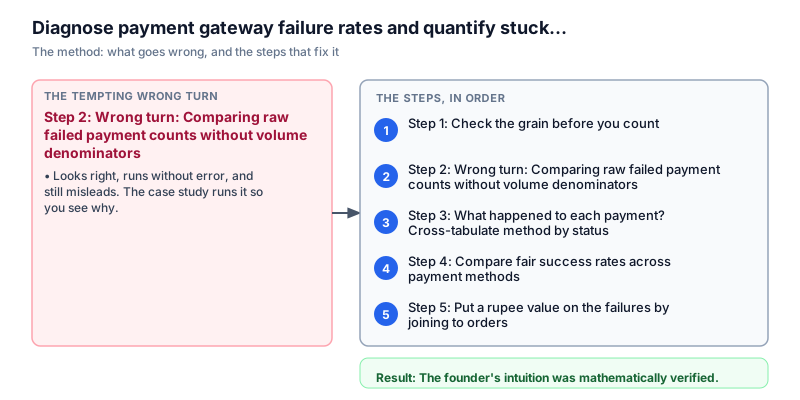
Step 1: Check the grain before you count
Why this step. If we count rows before we know what a row means, we can count the same order twice.
Always start by finding out what one row stands for. If the payments table has several tries for one order, then COUNT(*) counts tries, not orders. And joining to the orders table would repeat the order value.
Anika counts the payment rows for each order_id. Then she finds the smallest (MIN) and the largest (MAX) of those counts.
Run the query to check.
SELECT MIN(n) AS fewest, MAX(n) AS most
FROM (SELECT order_id, COUNT(*) AS n FROM payments GROUP BY order_id)fewest | most -------+----- 1 | 1
per_order = df_payments.groupby("order_id").size()
print("fewest:", per_order.min(), "most:", per_order.max())fewest: 1 most: 1
Watch out. In real payment systems (Razorpay, Stripe, Cashfree), customers often try again after a failure, so one order can have many payment rows. Always check MIN and MAX before you write a join.
What it tells us. The result is fewest = 1 and most = 1. So every order has exactly one payment row. One row in payments means one payment try for one order. That makes it safe to count rows and to join to orders without repeating anything.
Step 2: Wrong turn: Comparing raw failed payment counts without volume denominators
Why this step. We repeat the mistake that made the founder blame UPI, to see why plain failure counts are not enough.
Anika first runs the quick query that most people would write: keep only the rows with status = 'failed', and count them for each payment method.
This ignores how many people used each method. A method with 10,000 tries and 10 failures is excellent. A method with 10 tries and 5 failures is terrible, but it has fewer failures in total.
Run the query to see the misleading result.
SELECT method, COUNT(*) AS failed_count
FROM payments
WHERE status = 'failed'
GROUP BY method
ORDER BY failed_count DESC, methodmethod | failed_count -----------+------------- upi | 12 card | 6 netbanking | 6 wallet | 5
naive_fails = df_payments[df_payments["status"] == "failed"]["method"].value_counts().reset_index()
naive_fails.columns = ["method", "failed_count"]
print(naive_fails.to_string(index=False))
print("Flaw: Raw counts fail to account for total transaction volume per method.") method failed_count
upi 12
card 6
netbanking 6
wallet 5
Flaw: Raw counts fail to account for total transaction volume per method.Watch out. Never show a count of failures without also showing the total number of tries. Always work out the rate.
What it tells us. The failure counts are: UPI 12, Card 6, Netbanking 6, and Wallet 5. Looking only at these, Wallet seems the best, and Card and Netbanking seem equal. But this is not a fair comparison, because it does not show how many tries each method had.
Step 3: What happened to each payment? Cross-tabulate method by status
Why this step. We want one grid that shows every result for every payment method.
Before working out percentages, Anika builds a table of all results. Each payment try ends in one of three ways: 'captured' (the money arrived), 'failed' (the bank or gateway said no, or it timed out), or 'refunded' (the money was paid and later given back).
In SQL she groups by method and status. In Pandas she uses pd.crosstab(), which builds a grid with methods down the side and statuses across the top.
Run the query to see the whole grid.
SELECT method, status, COUNT(*) AS payments
FROM payments
GROUP BY method, status
ORDER BY method, statusmethod | status | payments -----------+----------+--------- card | captured | 24 card | failed | 6 card | refunded | 5 netbanking | captured | 21 netbanking | failed | 6 netbanking | refunded | 6 upi | captured | 21 upi | failed | 12 upi | refunded | 10 wallet | captured | 27 wallet | failed | 5 wallet | refunded | 7
print(pd.crosstab(df_payments["method"], df_payments["status"]).to_string())status captured failed refunded method card 24 6 5 netbanking 21 6 6 upi 21 12 10 wallet 27 5 7
Watch out. A GROUP BY only shows combinations that exist. If a method had no refunds, its refund row simply would not appear. pd.crosstab fills those gaps with 0, which is easier to read.
What it tells us. Across all 150 payments: Card had 24 captured, 6 failed and 5 refunded (35 in total). Netbanking had 21 captured, 6 failed and 6 refunded (33 in total). UPI had 21 captured, 12 failed and 10 refunded (43 in total). Wallet had 27 captured, 5 failed and 7 refunded (39 in total). UPI has the most tries (43), twice as many failures as any other method (12), and the most refunds (10).
Step 4: Compare fair success rates across payment methods
Why this step. To settle the argument, we need one fair number for each method: the share of tries that worked.
Anika now works out the success rate: payments captured divided by all tries, shown as a percentage.
In SQL she uses SUM(CASE WHEN status = 'captured' THEN 1 ELSE 0 END), multiplies by 100.0, divides by COUNT(*), and rounds to one decimal place. In Pandas she makes a true/false column called ok, groups by method, adds up the captured tries, and works out success_pct.
She puts the highest success rate first.
Run the query.
SELECT method,
       COUNT(*) AS attempts,
       SUM(CASE WHEN status = 'captured' THEN 1 ELSE 0 END) AS captured,
       ROUND(100.0 * SUM(CASE WHEN status = 'captured' THEN 1 ELSE 0 END) / COUNT(*), 1) AS success_pct
FROM payments
GROUP BY method
ORDER BY success_pct DESC, methodmethod | attempts | captured | success_pct -----------+----------+----------+------------ wallet | 39 | 27 | 69.2 card | 35 | 24 | 68.6 netbanking | 33 | 21 | 63.6 upi | 43 | 21 | 48.8
rates = (df_payments.assign(ok=df_payments["status"] == "captured")
         .groupby("method")
         .agg(attempts=("payment_id", "count"), captured=("ok", "sum"))
         .reset_index())
rates["success_pct"] = (100 * rates["captured"] / rates["attempts"]).round(1)
rates = rates.sort_values(["success_pct", "method"], ascending=[False, True])
print(rates.to_string(index=False)) method attempts captured success_pct
wallet 39 27 69.2
card 35 24 68.6
netbanking 33 21 63.6
upi 43 21 48.8Watch out. Write 100.0, not 100, in SQL. In many databases (PostgreSQL, DuckDB), dividing two whole numbers such as 21 / 43 gives 0, because the decimal part is cut off. That would wipe out your percentage.
What it tells us. Wallet is best with 69.2% success (27 captured out of 39 tries). Card is next at 68.6% (24 of 35). Netbanking has 63.6% (21 of 33). UPI is far behind at 48.8% (only 21 captured out of 43 tries). Wallet, Card and Netbanking are close together, between 64% and 69%, while UPI is 15 to 20 percentage points lower. More than half of UPI tries do not go through.
Step 5: Put a rupee value on the failures by joining to orders
Why this step. Bosses decide in rupees, not percentages, so we work out how much money is stuck.
A 48.8% success rate shows UPI is weaker, but the founder wants to know how much money is stuck. When a payment fails, its order stays in 'pending'.
Anika joins the payments table (p) to the orders table (o) using o.order_id = p.order_id. She keeps only rows where p.status = 'failed' AND o.order_status = 'pending', groups by payment method, and adds up order_total.
In Pandas she keeps the failed payments, merges them with df_orders on order_id, keeps the pending orders, and adds up order_total.
Run the query.
SELECT p.method,
       COUNT(*) AS stuck_orders,
       ROUND(SUM(o.order_total), 2) AS value
FROM payments p
JOIN orders o ON o.order_id = p.order_id
WHERE p.status = 'failed' AND o.order_status = 'pending'
GROUP BY p.method
ORDER BY value DESC, p.methodmethod | stuck_orders | value -----------+--------------+-------- upi | 12 | 5816.78 wallet | 5 | 3987.48 card | 6 | 2438.89 netbanking | 6 | 2235.36
stuck = df_payments[df_payments["status"] == "failed"].merge(df_orders, on="order_id")
stuck = stuck[stuck["order_status"] == "pending"]
by_method = (stuck.groupby("method")
             .agg(stuck_orders=("order_id", "count"), value=("order_total", "sum"))
             .round(2).reset_index()
             .sort_values(["value", "method"], ascending=[False, True]))
print(by_method.to_string(index=False)) method stuck_orders value
upi 12 5816.78
wallet 5 3987.48
card 6 2438.89
netbanking 6 2235.36Watch out. Use both conditions: p.status = 'failed' AND o.order_status = 'pending'. If a customer failed once and then paid with another card, the order is 'paid' and is not stuck money, so it must not be counted.
What it tells us. In total, 29 failed payments belong to pending orders worth ₹14,478.51 that are stuck. UPI has 12 stuck orders worth ₹5,816.78, which is over 40 percent of all the stuck money. Wallet has 5 stuck orders worth ₹3,987.48. Card has 6 stuck orders worth ₹2,438.89. Netbanking has 6 stuck orders worth ₹2,235.36. The founder was right: UPI failures are hurting cash flow the most.
Step 6: Look at refunds too to measure total financial leakage
Why this step. Refunds are money the shop gives back, so they are part of the loss too.
To finish, Anika looks at refunds. A refunded payment hurts twice: the shop loses the sale, pays for the return, and usually still pays the payment gateway's fee.
She keeps the rows with status = 'refunded', groups by method, counts the refunds, and adds up the amount column.
In Pandas, she filters df_payments for status == 'refunded' and adds up the count and the amount.
Run the query.
SELECT method, COUNT(*) AS refunds, ROUND(SUM(amount), 2) AS refunded
FROM payments
WHERE status = 'refunded'
GROUP BY method
ORDER BY refunded DESC, methodmethod | refunds | refunded -----------+---------+--------- upi | 10 | 5777.62 wallet | 7 | 4356.04 netbanking | 6 | 2867.98 card | 5 | 1141.47
refunds = (df_payments[df_payments["status"] == "refunded"]
           .groupby("method")
           .agg(refunds=("payment_id", "count"), refunded=("amount", "sum"))
           .round(2).reset_index()
           .sort_values(["refunded", "method"], ascending=[False, True]))
print(refunds.to_string(index=False)) method refunds refunded
upi 10 5777.62
wallet 7 4356.04
netbanking 6 2867.98
card 5 1141.47Watch out. The money column has a different name in each table: it is amount in payments and order_total in orders. Use the right name for the table you are asking.
What it tells us. There are 28 refunded payments, worth ₹14,143.11 in total. UPI is again the worst, with 10 refunds worth ₹5,777.62. Wallet had 7 refunds worth ₹4,356.04. Netbanking had 6 refunds worth ₹2,867.98. Card had 5 refunds worth ₹1,141.47. Adding UPI's stuck orders (₹5,816.78) and UPI's refunds (₹5,777.62), UPI problems put ₹11,594.40 at risk.
Recommendation message to stakeholder
The analysis is only useful once someone can act on it. This is the exact message sent to the stakeholder with findings, evidence, decision, risk, and next steps.
To: Vikram Mehra, Founder and CEO; Sangeeta Nair, VP of Engineering
From: Anika Roy, Data Analyst
Subject: Which payment method fails most, and what to do about UPI
Finding: The founder was right. UPI fails far more than the others: its success rate is only 48.8%, against 63.6% for Netbanking, 68.6% for Card and 69.2% for Wallet. UPI is linked to ₹5,816.78 in stuck pending orders and ₹5,777.62 in refunds, which is ₹11,594.40 in total.
Evidence: We checked 150 payments and found one payment row per order. UPI had the most tries (43), but also 12 failures and 10 refunds. Joining to the orders table showed 29 orders worth ₹14,478.51 stuck in pending, and UPI is responsible for 40.2% of that money.
Decision: Do not remove UPI. It is 28.7% of all checkout tries. Instead, engineering should add a backup: if the main UPI gateway takes longer than 4 seconds, send the payment to a second gateway.
Risk: This is a small practice dataset of 150 payments over 19 days. The gap of about 20 percentage points is big, but gateways can fail more on days when a bank is under maintenance (for example SBI or HDFC).
Next step: Log the errors for UPI address (VPA) checks in real time, so we can see whether the failures come from one app (Google Pay, PhonePe or Paytm).