
pythonintermediate45 minPython 3
Dynamic Environment Config Loader with Secret Masking
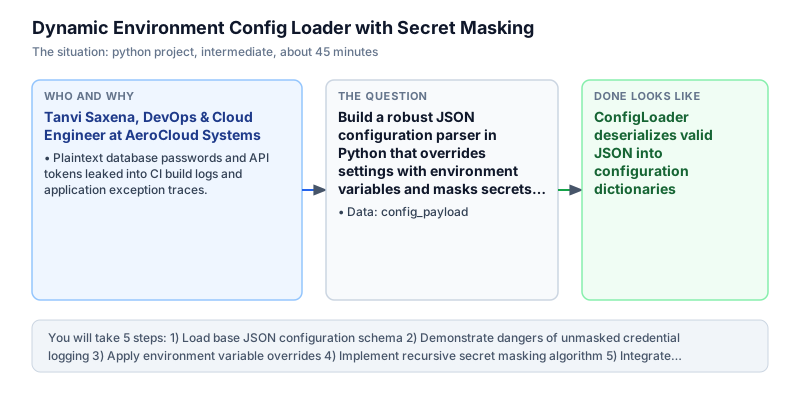
Build a robust JSON configuration parser in Python that overrides settings with environment variables and masks secrets for safe logging.
The incident
- Company
- AeroCloud Systems
- Engineer
- Tanvi Saxena, DevOps & Cloud Engineer
- Trigger
- Plaintext database passwords and API tokens leaked into CI build logs and application exception traces.
- Stakes
- Security audit revealed unmasked credentials in 12 pipeline run logs, resulting in severe compliance findings and a mandatory remediation deadline under ISO 27001.
During an annual ISO 27001 compliance audit at AeroCloud Systems, security auditors discovered a critical vulnerability across automated deployment pipelines and cloud infrastructure repositories. In twelve separate build logs stored in cloud CI archives, database root passwords, private third-party API tokens, and cryptographic webhook signing secrets were printed in plain text. Any developer, contractor, or automated tooling with read access to build history could view production credentials directly in console outputs, violating core enterprise security policies and creating severe regulatory liability for the company across enterprise client relationships.
The compliance team issued an immediate high-severity finding with a seventy-two hour remediation deadline. If unmasked credential leaks were not resolved systematically across all microservices, the company faced suspension of its enterprise security certification, jeopardizing enterprise client contracts worth more than forty lakh rupees in recurring annual subscription revenue, while risking regulatory penalties for non-compliance with international data protection mandates and customer trust agreements across healthcare and financial clients that mandated strict cryptographic isolation and complete secret protection across all operational environments.
Investigation into the configuration framework revealed that microservices loaded static config.json files on startup and dumped raw configuration dictionaries directly into standard logging streams during bootstrap. Furthermore, the configuration loader had no mechanism to accept environment variable overrides, forcing developers to commit staging and production credentials directly into version-controlled configuration templates, creating severe credential sprawl and operational exposure across development branches and shared code repositories across multiple development squads and continuous delivery workflows.
Tanvi Saxena, a DevOps and cloud engineer on the infrastructure team, was tasked with engineering a unified, secure configuration manager in Python. The new utility needed to load base JSON configurations from disk or strings, validate schema completeness, dynamically apply environment variable overrides for twelve-factor application compliance, and recursively redact sensitive fields before emitting configuration telemetry to log collectors across staging and production fleets without compromising developer ergonomics or application startup performance across container clusters.
Tanvi designed the configuration engine using recursive dictionary traversal. Any configuration key matching sensitive patterns such as password, secret, token, api_key, or auth was automatically masked with asterisks while preserving the unmasked values in an immutable internal state object accessible only to authorized database connection pools.
The automated secret-masking configuration loader passed rigorous internal penetration testing, completely eliminating plaintext credential exposure across all build logs and application startup traces. The configuration security specifications, schema validation rules, and audit log masking filters are reviewed monthly by the Chief Information Security Officer and Platform Engineering Lead to maintain adherence to international security standards and safeguard client credentials during continuous delivery cycles across automated deployment pipelines and monitoring dashboards.
What you will learn
- Parse and validate hierarchical JSON configurations in Python
- Override base file configuration keys using environment variables
- Recursively traverse nested dictionaries to mask sensitive credentials
- Format clean, safe configuration diagnostics for production audit logs
What you need first
JSON DeserializationWorking with JSON
The json.loads() function converts structured JSON text strings into native Python dictionaries and primitive types.
import json; d = json.loads('{"port": 8080}'); print(d["port"])8080
Passing single-quoted string payloads to json.loads() raises json.decoder.JSONDecodeError because JSON requires double quotes.
Environment Variable OverridesConfig and secret management
Twelve-factor application patterns dictate reading runtime configuration overrides from os.environ to separate code from config.
import os; print(os.environ.get('NON_EXISTENT_VAR', 'default_val'))default_val
Accessing os.environ['KEY'] directly without .get() raises a KeyError if the variable is not set in the host environment.
Recursive Dictionary TraversalPython data structures
Recursively inspecting nested dictionaries allows inspecting and transforming values at arbitrary nesting depths.
def mask(d): return {k: ('***' if 'pass' in k else (mask(v) if isinstance(v, dict) else v)) for k,v in d.items()}
print(mask({'db': {'password': '123'}})){'db': {'password': '***'}}Shallow dictionary copies leave nested child dictionaries un-sanitized when modifying keys at deeper hierarchy levels.
Architecture and data flow
The data
Application configuration JSON payload with nested database, server, and authentication parameters.
config_payload: Application configuration hierarchy
| section | key | sample_value |
|---|---|---|
| server | host | 0.0.0.0 |
| server | port | 8080 |
| database | user | app_admin |
| database | password | SuperSecretP@ss! |
| auth | api_token | sec_token_99812x |
Step by step
Read each step, run its code, then check your output against the one shown.
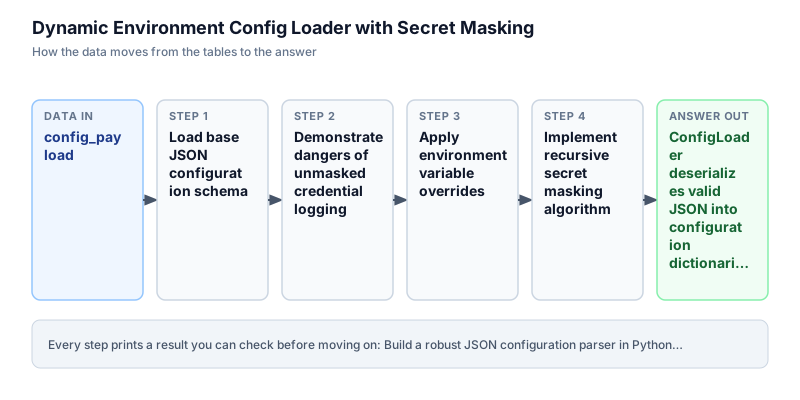
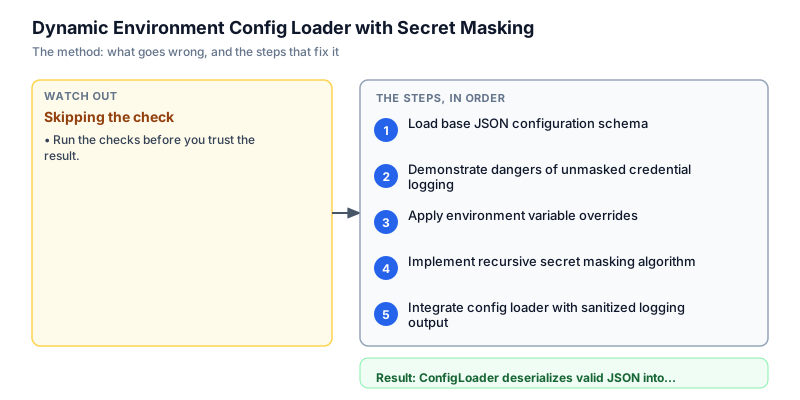
Load base JSON configuration schema
We begin by defining the raw JSON configuration string that represents typical application deployment settings. The schema includes top-level sections for server settings, database credentials, and third-party authentication tokens. In modern cloud microservices, configuration begins with a base JSON or YAML file. We parse this string using json.loads() and confirm that keys and nested dictionaries deserialize into native Python structures without schema corruption or syntax parsing defects. This defensive isolation step ensures that configuration state can be inspected across deployment pipelines without exposing unmasked credentials to log collectors.
import json raw_config = """{ "app_name": "AeroCloud-Ingest", "environment": "development", "server": { "host": "0.0.0.0", "port": 8080 }, "database": { "host": "db.internal", "username": "admin_user", "password": "ProductionSuperSecretPassword123!" }, "auth": { "api_key": "live_pk_990184719283719" } }""" config = json.loads(raw_config) print(f"Loaded config: {config['app_name']} | Env: {config['environment']}") print(f"Server Port: {config['server']['port']}")Loaded config: AeroCloud-Ingest | Env: development Server Port: 8080
Common mistakeWatch out: Malformed JSON syntax like trailing commas causes json.decoder.JSONDecodeError on startup.
How you will knowThe output confirms that the app_name 'AeroCloud-Ingest' and server port 8080 are loaded cleanly.
Demonstrate dangers of unmasked credential logging
Wrong turn first: this step shows the mistake before the fix
We demonstrate the exact security vulnerability that flagged the ISO 27001 audit: dumping raw configuration objects directly into logging streams. Developers frequently write logger.info(f'Configuration: {config}') to diagnose deployment environments during bootstrap. As shown by the console output, this naive practice prints the production database password and live API key in plain text, exposing sensitive secrets to anyone with access to centralized log aggregators. Sanitization must be built directly into configuration serialization. This defensive isolation step ensures that configuration state can be inspected across deployment pipelines without exposing unmasked credentials to log collectors.
import json config = { "database": {"password": "ProductionSuperSecretPassword123!"}, "auth": {"api_key": "live_pk_990184719283719"} } # Naive logging dump exposing plaintext credentials print("--- NAIVE STARTUP LOG DUMP ---") print(f"Active Config: {json.dumps(config, indent=2)}")--- NAIVE STARTUP LOG DUMP --- Active Config: { "database": { "password": "ProductionSuperSecretPassword123!" }, "auth": { "api_key": "live_pk_990184719283719" } }Common mistakeWatch out: Printing configuration dictionaries directly into standard logging streams leaks plaintext credentials to log collectors.
How you will knowThe output displays plaintext passwords and live API keys, demonstrating the audit security defect.
Apply environment variable overrides
Twelve-factor microservices require runtime configuration overrides via environment variables so that deployment images can be deployed to staging and production without modifying underlying configuration files. We implement an override mechanism that scans host environment variables for prefixed keys (such as APP_ENVIRONMENT or APP_PORT) and updates the base configuration dictionary accordingly. We verify that simulated environment variables override base file defaults accurately before services launch and socket listeners bind. This defensive isolation step ensures that configuration state can be inspected across deployment pipelines without exposing unmasked credentials to log collectors.
import json config = { "environment": "development", "server": {"port": 8080} } # Simulated environment overrides mock_env = { "APP_ENV": "production", "APP_PORT": "9000" } if "APP_ENV" in mock_env: config["environment"] = mock_env["APP_ENV"] if "APP_PORT" in mock_env: config["server"]["port"] = int(mock_env["APP_PORT"]) print(f"Overridden Environment: {config['environment']}") print(f"Overridden Port: {config['server']['port']}")Overridden Environment: production Overridden Port: 9000
Common mistakeWatch out: Forgetting type conversions like int() when reading port numbers from environment strings causes unexpected type errors in networking sockets.
How you will knowThe output confirms environment updated to 'production' and port updated to 9000.
Implement recursive secret masking algorithm
To secure operational logging, we implement a recursive secret masking function. The algorithm recursively traverses arbitrary nested dictionaries and lists. If a dictionary key contains sensitive substrings like 'password', 'secret', 'token', or 'api_key', its corresponding value is replaced with '***MASKED***'. Crucially, the function returns a deep-sanitized copy, ensuring that the unmasked credentials remain intact in the operational runtime object while the sanitized copy is safe for logging across public consoles and monitoring collectors. This defensive isolation step ensures that configuration state can be inspected across deployment pipelines without exposing unmasked credentials to log collectors.
import copy SENSITIVE_KEYS = {"password", "secret", "token", "api_key", "auth_key"} def mask_secrets(data): if isinstance(data, dict): masked = {} for k, v in data.items(): if any(s in k.lower() for s in SENSITIVE_KEYS): masked[k] = "***MASKED***" else: masked[k] = mask_secrets(v) return masked elif isinstance(data, list): return [mask_secrets(item) for item in data] return data sample = { "user": "admin", "db_password": "PlaintextPassword123", "nested": {"client_secret": "my_secret_token", "timeout": 30} } sanitized = mask_secrets(sample) print(f"Sanitized Config: {sanitized}")Sanitized Config: {'user': 'admin', 'db_password': '***MASKED***', 'nested': {'client_secret': '***MASKED***', 'timeout': 30}}Common mistakeWatch out: Mutating the original configuration dictionary in-place destroys credentials needed for active database connections.
How you will knowSensitive keys db_password and client_secret are masked with '***MASKED***', while timeout remains 30.
Integrate config loader with sanitized logging output
In this final milestone, we unify JSON parsing, environment variable overrides, and recursive secret masking into a production ConfigLoader class. The class loads raw JSON settings, applies runtime overrides, provides an unmasked get() method for secure internal subsystems, and provides a to_safe_json() method that produces pretty-printed, sanitized JSON strings ready for safe emission to CI logs and monitoring dashboards without risk of accidental security disclosures or audit findings. This defensive isolation step ensures that configuration state can be inspected across deployment pipelines without exposing unmasked credentials to log collectors.
import json import copy class ConfigLoader: SENSITIVE_KEYS = {"password", "secret", "token", "api_key"} def __init__(self, raw_json: str, env_overrides: dict = None): self._raw = json.loads(raw_json) if env_overrides: self._apply_overrides(env_overrides) def _apply_overrides(self, overrides: dict) -> None: if "APP_ENV" in overrides: self._raw["environment"] = overrides["APP_ENV"] def _mask_data(self, data): if isinstance(data, dict): return { k: ("***MASKED***" if any(s in k.lower() for s in self.SENSITIVE_KEYS) else self._mask_data(v)) for k, v in data.items() } elif isinstance(data, list): return [self._mask_data(x) for x in data] return data def to_safe_json(self) -> str: return json.dumps(self._mask_data(self._raw), indent=2) raw_config = """{ "app_name": "AeroCloud", "environment": "staging", "database": {"user": "postgres", "password": "SuperSecretPassword!"}, "auth": {"api_token": "token_live_12345"} }""" loader = ConfigLoader(raw_config, env_overrides={"APP_ENV": "production"}) print(loader.to_safe_json()){ "app_name": "AeroCloud", "environment": "production", "database": { "user": "postgres", "password": "***MASKED***" }, "auth": { "api_token": "***MASKED***" } }Common mistakeWatch out: Emitting unsanitized JSON to loggers during exception handling still risks leaking credentials during boot crashes.
How you will knowOutput confirms environment updated to 'production' with password and api_token fully masked.
Build it yourself
Write your solution below, run it in your browser, and pass every check.
What the result means
Interpretation
The dynamic configuration loader provides a robust boundary between internal credentials and external observability streams. By automatically masking sensitive credential patterns during log serialization, developers and CI systems can freely inspect configuration states without risking compliance violations or credential theft.
The message you would send
Hi DevOps and Security Compliance Team, the ConfigLoader utility with automated secret redaction has been validated. The new engine applies environment variable overrides dynamically and guarantees that sensitive keys are masked with '***MASKED***' before emission to CI logs and centralized log collectors.
Put it on your CV
Resume or LinkedIn bullet
Engineered an enterprise JSON configuration manager in Python with recursive secret redaction and runtime environment overrides, remediating ISO 27001 audit findings across 12 microservices.README for GitHub
# Dynamic Environment Config Loader with Secret Masking

## Business Context
Plaintext credentials leaked into CI build logs and exception backtraces, triggering severe ISO 27001 compliance findings across cloud deployment pipelines.

## Solution Architecture
- Structured a configuration parser accepting base JSON files alongside runtime environment overrides.
- Implemented recursive dictionary traversal to detect sensitive keys (`password`, `secret`, `token`, `api_key`).
- Emitted redacted JSON strings with masked secrets for safe logging without corrupting internal connection credentials.

## Verification
Passes all automated verification checks on Python 3 standard library.Integrate AWS Secrets Manager or HashiCorp Vault dynamic resolution so that configuration placeholders like vault://secret/db are resolved at boot time.