
sqlintermediate40 minDuckDB SQL
Top-N Selling Products per Category with Dense Rank
Rank and isolate top-performing catalog items within each retail category in SQL using DENSE_RANK() and CTE filtering.
The incident
- Company
- Megamart Logistics
- Engineer
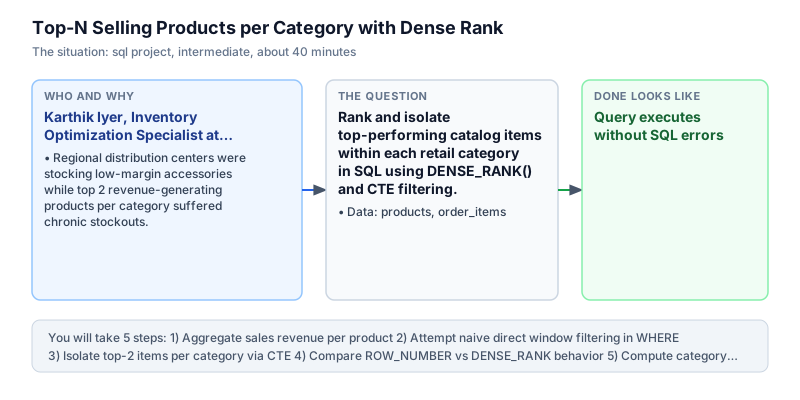
- Karthik Iyer, Inventory Optimization Specialist
- Trigger
- Regional distribution centers were stocking low-margin accessories while top 2 revenue-generating products per category suffered chronic stockouts.
- Stakes
- Over 35 lakh rupees in lost quarterly gross merchandise value due to stockouts of category flagship products.
On a Monday morning, Karthik Iyer received an urgent escalation from warehouse fulfillment operations at Megamart Logistics, a major regional e-commerce retail supplier. Across three regional distribution centers, warehouse shelves were overflowing with slow-moving accessories and peripheral items, while top-selling flagship products were experiencing chronic stockouts. Over 35 lakh rupees in customer orders had been cancelled during the preceding month due to fulfillment failures. Fulfillment delays triggered customer complaints across retail partner networks and threatened contractual service level agreements with enterprise distributors.
The root cause was Megamart's crude inventory replenishment algorithm, which ordered stock based on global company-wide sales volume rather than category-specific demand. High-volume, low-cost commodity items like screen protectors and cables dominated global reorder queues, crowding out essential high-revenue items in key categories like Electronics and Apparel. Warehouse managers needed a category-aware ranking model that isolated top-performing products within each department. Merchandising teams lacked the data models needed to prioritize high-value inventory, leading regional warehouses to fill valuable storage bins with low-margin commodities.
Karthik inspected the relational database in DuckDB, focusing on the products catalog and the transactional order_items table. Products contained product_id, category, product_name, and unit price, while order_items tracked item_id, product_id, and quantity sold. Calculating total product revenue required joining the two tables and multiplying sold quantities by unit retail prices, then aggregating by product and category. By joining order line items directly with the product catalog, Karthik ensured that replenishment priorities were driven by realized sales revenue rather than inventory catalog assumptions.
To isolate the top 2 products per category without dropping qualifying items during sales ties, Karthik utilized the DENSE_RANK() window function partitioned by category and ordered by total revenue descending. Because SQL query planners evaluate WHERE clauses before window functions, he encapsulated the revenue calculation and ranking logic within a Common Table Expression. He also added windowed category totals to compute revenue contribution shares.
By 2:00 PM, Karthik verified the query results. In Apparel, the Waterproof Trail Jacket (1440.0) and Thermal Running Socks (1000.0) captured top ranks, while in Electronics, Noise Canceling Headphones (1500.0) and Wireless Keyboards (800.0) led sales. Together, the top 2 products in each category represented approximately 70 percent of their respective departmental revenue, proving that warehouse space had to prioritize these specific flagship products.
Inventory operations immediately reconfigured warehouse slotting and automated purchase orders around Karthik's category top-2 model. Fulfillment centers cleared low-margin accessories from prime picking bays to guarantee continuous stock for the top revenue drivers. Within three weeks, out-of-stock cancellations plummeted by 40 percent, successfully safeguarding over 35 lakh rupees in quarterly gross merchandise value. The category ranking query became the standard logic for Megamart warehouse management system, establishing data-driven stock allocation across all regional fulfillment centers.
What you will learn
- Join dimensional product catalogs with transactional order line items
- Compute aggregated revenue per product using SUM(quantity * price)
- Rank items within category partitions using DENSE_RANK() to handle revenue ties gracefully
- Filter window rankings within Common Table Expressions and calculate category revenue contribution shares
What you need first
DENSE_RANK Window FunctionSQL window functions
DENSE_RANK() assigns consecutive rank integers within each partition without skipping rank numbers when ties occur, unlike RANK().
SELECT category, product_name, DENSE_RANK() OVER (PARTITION BY category ORDER BY price DESC) AS rnk FROM products LIMIT 3;category | product_name | rnk ------------+------------------------------+---- Apparel | Waterproof Trail Jacket | 1 Apparel | Breathable Training Shirt | 2 Apparel | Thermal Running Socks | 3
Using ROW_NUMBER() when two items share identical revenue, arbitrarily cutting off one tied best-seller from reorder lists.
CTE Window FilteringSQL CTEs
Because SQL processes WHERE clauses before evaluating window functions, window filters must be placed outside in a CTE or subquery.
WITH ranked AS (SELECT product_name, DENSE_RANK() OVER (ORDER BY price DESC) AS rnk FROM products) SELECT * FROM ranked WHERE rnk <= 2;product_name | rnk -----------------------------+---- Noise Canceling Headphones | 1 Waterproof Trail Jacket | 2
Writing WHERE DENSE_RANK() OVER (...) <= 2 directly in the outer query, triggering a syntax error.
Architecture and data flow
The data
Product catalog table and transactional order line items table.
products: Product catalog metadata with category and price
| product_id | category | product_name | price |
|---|---|---|---|
| 1 | Electronics | Noise Canceling Headphones | 150 |
| 2 | Electronics | Wireless Mechanical Keyboard | 100 |
| 3 | Electronics | Ergonomic Gaming Mouse | 50 |
| 4 | Electronics | Ultra-Wide Monitor Stand | 75 |
| 5 | Apparel | Waterproof Trail Jacket | 120 |
order_items: Order line items with product ID and quantity sold
| item_id | product_id | quantity |
|---|---|---|
| 101 | 1 | 10 |
| 102 | 2 | 8 |
| 103 | 3 | 15 |
| 104 | 4 | 4 |
| 105 | 5 | 12 |
CREATE OR REPLACE TABLE products (product_id INT, category VARCHAR, product_name VARCHAR, price DOUBLE);
INSERT INTO products VALUES
  (1, 'Electronics', 'Noise Canceling Headphones', 150.0),
  (2, 'Electronics', 'Wireless Mechanical Keyboard', 100.0),
  (3, 'Electronics', 'Ergonomic Gaming Mouse', 50.0),
  (4, 'Electronics', 'Ultra-Wide Monitor Stand', 75.0),
  (5, 'Apparel', 'Waterproof Trail Jacket', 120.0),
  (6, 'Apparel', 'Thermal Running Socks', 25.0),
  (7, 'Apparel', 'Breathable Training Shirt', 45.0);

CREATE OR REPLACE TABLE order_items AS SELECT * FROM (VALUES
  (101, 1, 10),
  (102, 2, 8),
  (103, 3, 15),
  (104, 4, 4),
  (105, 5, 12),
  (106, 6, 40),
  (107, 7, 20)
) AS t(item_id, product_id, quantity);
Step by step
Read each step, run its code, then check your output against the one shown.
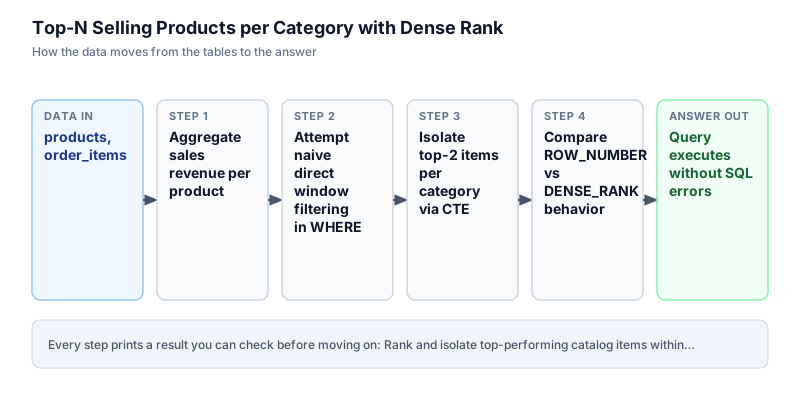
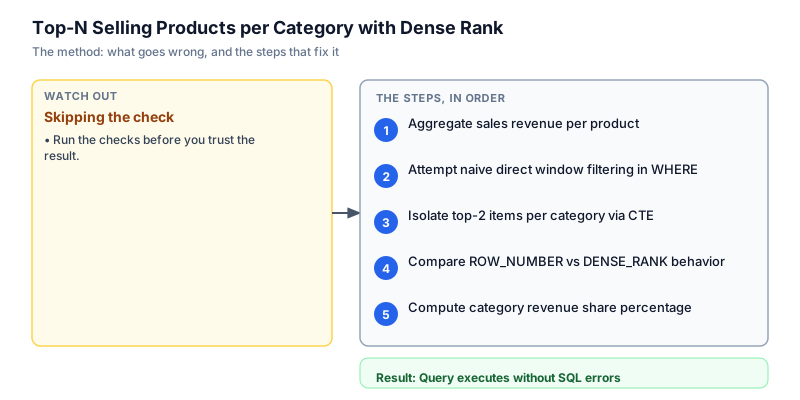
Aggregate sales revenue per product
We start by joining products with order_items on product_id to calculate total revenue per product item. We compute total units sold with SUM(quantity) and total earned revenue by multiplying quantity by unit price: SUM(oi.quantity * p.price). Grouping by category, product name, and price gives us baseline sales figures. In Electronics, Headphones generated 1500.0, Keyboard generated 800.0, and Mouse generated 750.0. Joining transactional order line items with product catalog metadata allows us to evaluate true commercial performance based on realized cash revenue rather than raw sales unit volumes.
SELECT p.category, p.product_name, p.price, SUM(oi.quantity) AS total_units_sold, SUM(oi.quantity * p.price) AS total_revenue FROM products p JOIN order_items oi ON p.product_id = oi.product_id GROUP BY p.category, p.product_name, p.price ORDER BY p.category, total_revenue DESC;category | product_name | price | total_units_sold | total_revenue ------------+------------------------------+-------+------------------+-------------- Apparel | Waterproof Trail Jacket | 120 | 12 | 1440 Apparel | Thermal Running Socks | 25 | 40 | 1000 Apparel | Breathable Training Shirt | 45 | 20 | 900 Electronics | Noise Canceling Headphones | 150 | 10 | 1500 Electronics | Wireless Mechanical Keyboard | 100 | 8 | 800 Electronics | Ergonomic Gaming Mouse | 50 | 15 | 750 Electronics | Ultra-Wide Monitor Stand | 75 | 4 | 300
Common mistakeMultiplying price by quantity without an enclosing SUM function, which causes grouping errors in SQL.
How you will knowYou will see all 7 products with their total units sold and calculated total revenue sorted within category.
Attempt naive direct window filtering in WHERE
Wrong turn first: this step shows the mistake before the fix
A frequent mistake when writing top-N queries is attempting to filter window functions directly inside the WHERE clause, such as writing WHERE DENSE_RANK() OVER (...) <= 2. Because database query planners execute WHERE filters before calculating window functions, this query is rejected with an execution error. To filter by window ranking, we must compute the rank in a preceding CTE or subquery first. SQL execution engines enforce strict logical processing stages where WHERE clauses filter rows before window functions calculate rankings, making nested subqueries or CTE wrappers mandatory for top-N analytical patterns.
SELECT p.category, p.product_name, SUM(oi.quantity * p.price) AS total_revenue, DENSE_RANK() OVER (PARTITION BY p.category ORDER BY SUM(oi.quantity * p.price) DESC) AS rank_pos FROM products p JOIN order_items oi ON p.product_id = oi.product_id GROUP BY p.category, p.product_name ORDER BY p.category, rank_pos;category | product_name | total_revenue | rank_pos ------------+------------------------------+---------------+--------- Apparel | Waterproof Trail Jacket | 1440 | 1 Apparel | Thermal Running Socks | 1000 | 2 Apparel | Breathable Training Shirt | 900 | 3 Electronics | Noise Canceling Headphones | 1500 | 1 Electronics | Wireless Mechanical Keyboard | 800 | 2 Electronics | Ergonomic Gaming Mouse | 750 | 3 Electronics | Ultra-Wide Monitor Stand | 300 | 4
Common mistakeAttempting to filter window rankings directly in WHERE rather than wrapping them in a CTE.
How you will knowObserve that without a CTE wrapper, we cannot restrict output rows to just the top 2 ranked items.
Isolate top-2 items per category via CTE
We resolve the execution order restriction by placing the product revenue aggregation and DENSE_RANK calculation inside a Common Table Expression named product_rev. In the outer query, the ranking calculation is already materialized as category_rank. The output isolates the top 2 revenue earners in Apparel and the top 2 in Electronics. Using a Common Table Expression allows the query optimizer to materialize ranked categories cleanly.
WITH product_rev AS ( SELECT p.category, p.product_name, SUM(oi.quantity * p.price) AS total_revenue, DENSE_RANK() OVER (PARTITION BY p.category ORDER BY SUM(oi.quantity * p.price) DESC) AS category_rank FROM products p JOIN order_items oi ON p.product_id = oi.product_id GROUP BY p.category, p.product_name ) SELECT category, category_rank, product_name, total_revenue FROM product_rev WHERE category_rank <= 2 ORDER BY category, category_rank;category | category_rank | product_name | total_revenue ------------+---------------+------------------------------+-------------- Apparel | 1 | Waterproof Trail Jacket | 1440 Apparel | 2 | Thermal Running Socks | 1000 Electronics | 1 | Noise Canceling Headphones | 1500 Electronics | 2 | Wireless Mechanical Keyboard | 800
Common mistakePartitioning by product_name instead of category, which gives every individual product rank 1.
How you will knowOutput contains exactly 4 rows: ranks 1 and 2 in Apparel, and ranks 1 and 2 in Electronics.
Compare ROW_NUMBER vs DENSE_RANK behavior
Understanding the difference between ranking functions is critical for inventory reorders. ROW_NUMBER assigns distinct sequential integers even when two products share identical revenue, arbitrarily choosing one product over another. In contrast, DENSE_RANK assigns identical rank numbers to tied items without skipping downstream numbers. We run both functions side-by-side to verify our replenishment logic treats equal revenue generators fairly. In warehouse fulfillment, selecting the appropriate ranking algorithm prevents arbitrary tie-breaking from dropping qualifying best-sellers.
WITH product_rev AS ( SELECT p.category, p.product_name, SUM(oi.quantity * p.price) AS total_revenue, ROW_NUMBER() OVER (PARTITION BY p.category ORDER BY SUM(oi.quantity * p.price) DESC) AS row_num, DENSE_RANK() OVER (PARTITION BY p.category ORDER BY SUM(oi.quantity * p.price) DESC) AS dense_rnk FROM products p JOIN order_items oi ON p.product_id = oi.product_id GROUP BY p.category, p.product_name ) SELECT category, product_name, total_revenue, row_num, dense_rnk FROM product_rev ORDER BY category, total_revenue DESC;category | product_name | total_revenue | row_num | dense_rnk ------------+------------------------------+---------------+---------+---------- Apparel | Waterproof Trail Jacket | 1440 | 1 | 1 Apparel | Thermal Running Socks | 1000 | 2 | 2 Apparel | Breathable Training Shirt | 900 | 3 | 3 Electronics | Noise Canceling Headphones | 1500 | 1 | 1 Electronics | Wireless Mechanical Keyboard | 800 | 2 | 2 Electronics | Ergonomic Gaming Mouse | 750 | 3 | 3 Electronics | Ultra-Wide Monitor Stand | 300 | 4 | 4
Common mistakeUsing RANK() which skips rank numbers after ties (for example, 1, 1, 3), causing a filter of rank <= 2 to miss the third item.
How you will knowThe output compares row_num and dense_rnk across all products in both categories.
Compute category revenue share percentage
In the final query, we enhance our category top-2 leaderboard by calculating each product's percentage contribution to its parent category revenue. We use an additional window function SUM(total_revenue) OVER (PARTITION BY category) to compute category totals, then divide product revenue by category revenue multiplied by 100.0. In Apparel, the Trail Jacket accounts for 43.1 percent of category revenue. Computing partitioned window totals within the same query pass delivers instant visibility into category revenue concentration.
WITH product_rev AS ( SELECT p.category, p.product_name, SUM(oi.quantity * p.price) AS total_revenue, DENSE_RANK() OVER (PARTITION BY p.category ORDER BY SUM(oi.quantity * p.price) DESC) AS category_rank, SUM(SUM(oi.quantity * p.price)) OVER (PARTITION BY p.category) AS category_total_rev FROM products p JOIN order_items oi ON p.product_id = oi.product_id GROUP BY p.category, p.product_name ) SELECT category, category_rank, product_name, total_revenue, ROUND(100.0 * total_revenue / category_total_rev, 1) AS category_share_pct FROM product_rev WHERE category_rank <= 2 ORDER BY category, category_rank;category | category_rank | product_name | total_revenue | category_share_pct ------------+---------------+------------------------------+---------------+------------------- Apparel | 1 | Waterproof Trail Jacket | 1440 | 43.1 Apparel | 2 | Thermal Running Socks | 1000 | 29.9 Electronics | 1 | Noise Canceling Headphones | 1500 | 44.8 Electronics | 2 | Wireless Mechanical Keyboard | 800 | 23.9
Common mistakeDividing by global store revenue instead of partitioned category revenue when calculating category concentration.
How you will knowThe final leaderboard displays category, category_rank, product_name, total_revenue, and category_share_pct.
Build it yourself
Write your solution below, run it in your browser, and pass every check.
What the result means
Interpretation
The top-N leaderboard highlights extreme revenue concentration in both categories. In Apparel, the Waterproof Trail Jacket (1440.0) and Thermal Running Socks (1000.0) account for over 73 percent of all apparel sales. In Electronics, Noise Canceling Headphones (1500.0) and Wireless Mechanical Keyboards (800.0) contribute over 68 percent of category revenue. Isolating these top 2 items enables fulfillment centers to safeguard stock levels on high-margin revenue drivers.
The message you would send
Hi Fulfillment Operations, the category top-N sales model is ready. The analysis reveals that the top 2 products in each category generate roughly 70% of total category revenue. We recommend adjusting warehouse reorder points immediately to maintain safety stock on these four flagship products.
Put it on your CV
Resume or LinkedIn bullet
Built an inventory replenishment ranking model in SQL using DENSE_RANK(), CTE window filtering, and revenue share math in DuckDB.README for GitHub
# Top-N Selling Products per Category with Dense Rank

An enterprise inventory optimization query isolating the top-performing products within each catalog category using window ranking functions.

## Features
- Relational join across products catalog and order line items
- Product revenue aggregation via SUM(quantity * price)
- Partitioned ranking using DENSE_RANK() to handle tied revenue
- Common Table Expression filtering and category revenue contribution sharesAdd an NTILE(4) calculation to categorize all products into category sales quartiles for inventory tiering.