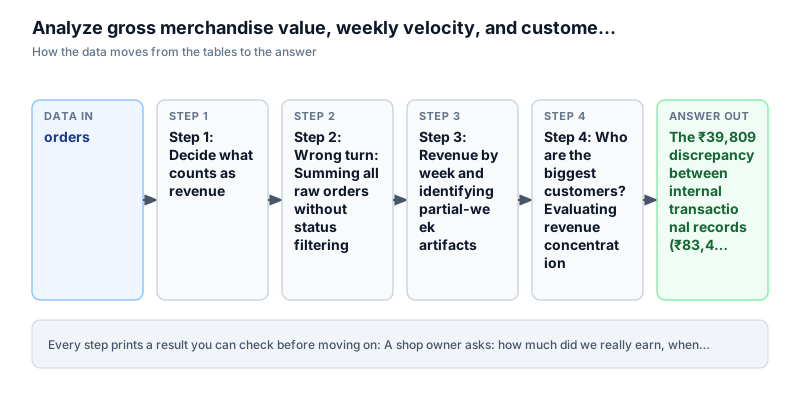
How much money did we really earn, and from whom?
A shop owner asks: how much money did we really earn, in which weeks, and from which customers? Do a few big customers pay for most of it, or many small ones?
SUM and COUNTGROUP BYWindow functionPandas groupby
The story
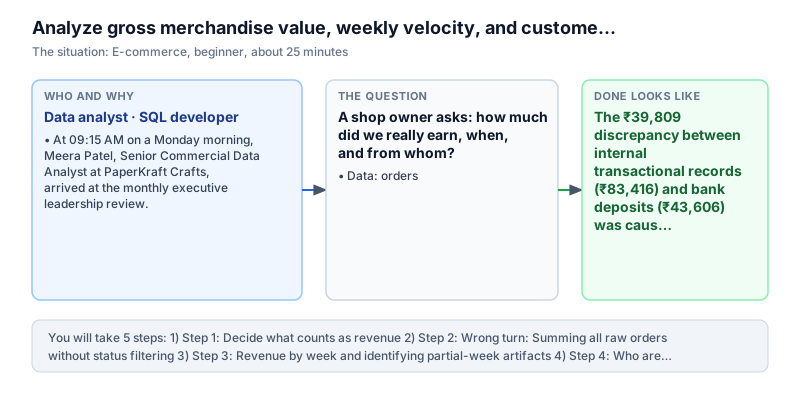
It is Monday, 9:15 AM. Meera Patel is a data analyst at PaperKraft Crafts, an online shop that sells nice notebooks and paper across India. It gets about 18,000 orders a month. Today there is a big meeting with the bosses, because the company wants to ask investors for money soon. The investors will want to see clean numbers on sales.
The meeting starts with an argument. The accountant says the shop made ₹83,416 in the first 19 days of August, from 180 orders. But the finance head (the CFO) shows the bank statement. The bank only received ₹43,606.
'The two numbers are almost ₹40,000 apart,' the CFO says. 'Either the payment company is losing our money, or our own reports are wrong. If we show investors two different numbers, they will stop trusting us.'
Meera has a guess. The accountant opened the orders table in a reporting tool and added up the order_total column for all 180 rows. But not every order in that table is real money. Some orders were cancelled. Some are still waiting for payment (pending). Some were paid and then returned (refunded). The accountant counted all of them as money earned.
The bosses also have two more questions. First, how did sales change week by week, and why did the second week look weak in cash even though many parcels were sent? Second, does the shop depend on a few rich customers, or is the money spread across many regular buyers?
Meera will answer all of this using the 180 orders, with SQL and with Pandas (a Python tool for tables). She will find which orders count as real money, show why adding everything gives a wrong total, look at sales week by week, check the biggest customers, and see how many people buy again.
Definition of done: you know which orders count as real money, you can show why the first total was wrong, you have sales per week, you know how much the top customers matter, and you know how many customers came back.
What you need to know first
Review these core concepts before starting. If any concept is new, use the lesson link to learn the full theory.
Real money vs. just an order
SQL aggregations →A row in an orders table is not always money. A customer can place an order and then cancel it, never pay, or get a refund. Only orders with the status 'paid' are real income. If you add up every row, you also add money that never reached the shop.
Common mistake. Say the table has two rows: one paid order of ₹500 and one cancelled order of ₹500. SUM(order_total) gives ₹1,000. Adding WHERE order_status = 'paid' gives the right answer, ₹500. Watch out: always check the status before you add up money columns. Pending and cancelled orders make the total look bigger than it is.
Grouping dates into weeks
Trends and partial weeks →Orders have an exact date and time, down to the second. If you group by that, every order sits alone in its own group. To see sales week by week, you round each date down to the Monday of its week. In SQL you write DATE_TRUNC('week', created_at). In Pandas you write .dt.to_period('W').
Common mistake. An order on Tuesday 2026-08-04 and one on Friday 2026-08-07 both become Monday 2026-08-03, so they land in the same week. Watch out: the first and last weeks of your data are often incomplete. A week with only two days of data will look like a crash when it is not.
Each customer's share of the total
Window functions →Sometimes one customer pays for a big part of the sales. If that customer leaves, the shop is in trouble. To check, you work out each customer's share: their money divided by all the money, times 100. In SQL a window function does this without hiding the rows: ROUND(100.0 * revenue / SUM(revenue) OVER (), 1).
Common mistake. A customer who spent ₹3,000 when the total is ₹43,600 has a share of 3,000 / 43,600 = 6.9 percent. Watch out: GROUP BY squashes many rows into one row per group. SUM() OVER () also adds up all the rows, but it keeps every customer row, so you can show each customer next to the total.
Words to know
You can come back to this list any time.
- Revenue (real income)
- Money the shop has really earned from orders that were paid. Cancelled, pending and refunded orders are not counted.
- Date truncation
- Rounding a date down to the start of a bigger period, for example turning any day into the Monday of its week.
- Window function
- A SQL calculation that looks at many rows at once, such as the total of all rows, but still keeps each row in the result.
- Repeat customer rate
- Out of all customers who paid at least once, the percentage who paid more than once.
The data
The data is a practice dataset, not a real shop. In the SQL editor the table is called orders. In the Pandas editor the same rows are in a DataFrame called df_orders.
order_id | user_id | order_status | order_total | currency | created_at          | updated_at
---------+---------+--------------+-------------+----------+---------------------+--------------------
ORD-0001 | U004    | paid         | 612.07      | INR      | 2026-08-02 16:33:28 | 2026-08-02 19:33:28
ORD-0002 | U073    | refunded     | 446.7       | INR      | 2026-08-03 20:40:58 | 2026-08-03 20:40:58
ORD-0003 | U078    | paid         | 1104.32     | INR      | 2026-08-06 09:58:04 | 2026-08-06 11:58:04
ORD-0004 | U057    | cancelled    | 339.9       | INR      | 2026-08-11 03:43:33 | 2026-08-11 06:43:33
ORD-0005 | U012    | paid         | 261.73      | INR      | 2026-08-14 07:06:40 | 2026-08-14 08:06:40
ORD-0006 | U036    | paid         | 431.34      | INR      | 2026-08-09 03:10:41 | 2026-08-09 08:10:41
ORD-0007 | U026    | paid         | 396.72      | INR      | 2026-08-12 14:37:57 | 2026-08-12 16:37:57
ORD-0008 | U018    | paid         | 366.08      | INR      | 2026-08-03 21:04:23 | 2026-08-03 21:04:23
ORD-0009 | U056    | paid         | 163.48      | INR      | 2026-08-11 01:37:08 | 2026-08-11 04:37:08
ORD-0010 | U075    | paid         | 80.34       | INR      | 2026-08-10 17:35:35 | 2026-08-10 20:35:35
ORD-0011 | U022    | cancelled    | 549.7       | INR      | 2026-08-14 17:56:01 | 2026-08-14 18:56:01
ORD-0012 | U061    | paid         | 284.82      | INR      | 2026-08-08 07:55:37 | 2026-08-08 11:55:37
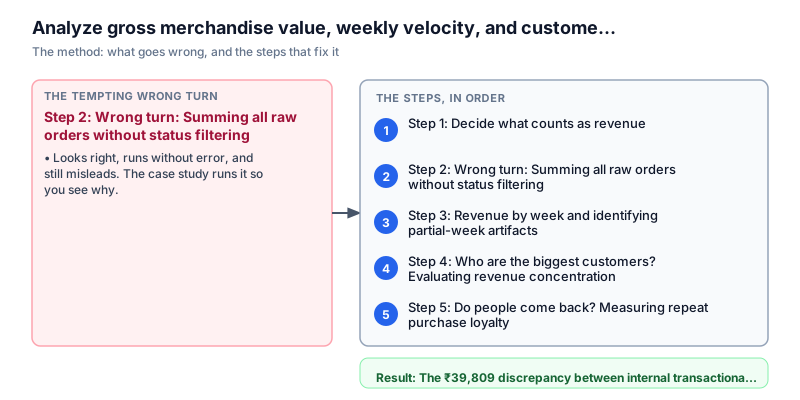
Step 1: Decide what counts as revenue
Why this step. If we add up orders that were never paid, we invent money. So first we look at the order statuses to decide what counts as real income.
Before adding any money, look at what values the order_status column holds. An order moves through stages after the customer clicks buy.
'paid' means the customer's money really arrived. 'cancelled' means the order was dropped before it was sent. 'pending' means the customer started the payment but it has not finished. 'refunded' means the customer returned the item and got the money back.
Meera groups the 180 orders by order_status. For each status she counts the orders and adds up the money, and she puts the biggest group first.
Run the query to see the status breakdown.
SELECT order_status, COUNT(*) AS orders, ROUND(SUM(order_total), 2) AS value
FROM orders
GROUP BY order_status
ORDER BY orders DESC, order_statusorder_status | orders | value -------------+--------+--------- paid | 93 | 43606.63 cancelled | 30 | 11248.61 pending | 29 | 14478.51 refunded | 28 | 14082.4
mix = (df_orders.groupby("order_status")
       .agg(orders=("order_id", "count"), value=("order_total", "sum"))
       .round(2).reset_index()
       .sort_values(["orders", "order_status"], ascending=[False, True]))
print(mix.to_string(index=False))order_status orders value
paid 93 43606.63
cancelled 30 11248.61
pending 29 14478.51
refunded 28 14082.40Watch out. Check for spelling and spacing differences in the status text, such as 'Paid ' with a space or 'PAID' in capitals. If the data is messy, use LOWER(TRIM(order_status)) to clean it first.
What it tells us. Of the 180 orders, exactly 93 are 'paid', worth ₹43,606.63 of real money. The other 87 orders did not bring in money: 30 were 'cancelled' (₹11,248.61), 29 are 'pending' (₹14,478.51), and 28 were 'refunded' (₹14,082.40). Together these are ₹39,809.52. So the real revenue is ₹43,606.63, not ₹83,416.15.
Step 2: Wrong turn: Summing all raw orders without status filtering
Why this step. To see why the accountant's number was wrong, we repeat the mistake on purpose and look at what it gives.
Meera now runs the same query the accountant ran. It is a plain SUM(order_total) over every row, with no WHERE filter.
Many beginners do this, because they treat a database table like an Excel sheet where every row is final. But an orders table records everything that happened, including orders that failed.
Run the query to see the wrong total.
SELECT COUNT(*) AS total_orders, ROUND(SUM(order_total), 2) AS raw_revenue
FROM orderstotal_orders | raw_revenue -------------+------------ 180 | 83416.15
total_orders = len(df_orders)
raw_revenue = df_orders["order_total"].sum().round(2)
print(f"Total orders: {total_orders}, Raw total: ₹{raw_revenue}")
print("Flaw: Naive summation includes cancelled, pending, and refunded orders, overstating true revenue by 91.3%.")Total orders: 180, Raw total: ₹83416.15 Flaw: Naive summation includes cancelled, pending, and refunded orders, overstating true revenue by 91.3%.
Watch out. When you show a total, always say what you counted. 'All orders placed' and 'money actually received' are two different numbers, and people mix them up.
What it tells us. The query says 180 orders and ₹83,416.15. It counts every row as money received, so it is 91.3 percent too high. That is ₹39,809.52 of money that does not exist. Showing this number to investors would be a serious mistake. Real revenue must use only order_status = 'paid'.
Step 3: Revenue by week and identifying partial-week artifacts
Why this step. One total for the whole month hides what is happening inside it. Looking week by week shows how sales are moving, and also shows where the data is incomplete.
Now that real revenue means 'paid' orders, Meera looks at how sales change over time. Day by day is too jumpy, because weekends are different from weekdays. One total for the month hides everything in between. A week is a good size.
She puts each of the 93 paid orders into the week it belongs to, using the Monday that starts that week. In SQL, DATE_TRUNC('week', created_at)::DATE gives that Monday. In Pandas, she turns created_at into a date and uses .dt.to_period('W').dt.start_time.dt.date.
For each week she counts the orders and adds up the money, in date order.
Run the weekly query.
SELECT DATE_TRUNC('week', created_at)::DATE AS week_start,
       COUNT(*) AS orders,
       ROUND(SUM(order_total), 2) AS revenue
FROM orders
WHERE order_status = 'paid'
GROUP BY 1
ORDER BY 1week_start | orders | revenue -----------+--------+--------- 2026-07-27 | 4 | 2389.71 2026-08-03 | 31 | 18887.54 2026-08-10 | 38 | 14958.13 2026-08-17 | 20 | 7371.25
paid = df_orders[df_orders["order_status"] == "paid"].copy()
paid["week_start"] = pd.to_datetime(paid["created_at"]).dt.to_period("W").dt.start_time.dt.date
weekly = (paid.groupby("week_start")
          .agg(orders=("order_id", "count"), revenue=("order_total", "sum"))
          .round(2).reset_index())
print(weekly.to_string(index=False))week_start orders revenue 2026-07-27 4 2389.71 2026-08-03 31 18887.54 2026-08-10 38 14958.13 2026-08-17 20 7371.25
Watch out. Always say which weeks are incomplete. If the bosses do not know Week 1 has only 2 days, they may think the business crashed at the start and end of the month.
What it tells us. Week 1 (starting Monday 2026-07-27) has 4 orders worth ₹2,389.71. Week 2 (2026-08-03) has 31 orders worth ₹18,887.54. Week 3 (2026-08-10) has 38 orders worth ₹14,958.13. Week 4 (2026-08-17) has 20 orders worth ₹7,371.25. Week 1 and Week 4 look small only because the data runs from August 1 to August 19, so Week 1 has just two days and Week 4 has just three days. Compare the two full weeks, Week 2 and Week 3. Orders went up by 22.6 percent (from 31 to 38), but money went down by 20.8 percent (from ₹18,887 to ₹14,958). So each order is worth less than before.
Step 4: Who are the biggest customers? Evaluating revenue concentration
Why this step. If a few customers pay for most of the sales, losing one of them could hurt a lot. So we check how much each top customer adds.
Some shops get a big part of their money from one or two big buyers, for example a company that buys many gifts at once. If that buyer leaves, sales fall sharply. So it is worth checking.
Meera groups the paid orders by user_id. For each customer she finds the number of orders, the total money, and the share of all sales. To get the share in one query, she uses a window function: ROUND(100.0 * revenue / SUM(revenue) OVER (), 1). In Pandas, she divides each customer's revenue by by_user['revenue'].sum().
She puts the biggest spenders first and keeps the top 5.
Run the customer query.
WITH by_user AS (
  SELECT user_id, COUNT(*) AS orders, SUM(order_total) AS revenue
  FROM orders
  WHERE order_status = 'paid'
  GROUP BY user_id
)
SELECT user_id, orders, ROUND(revenue, 2) AS revenue,
       ROUND(100 * revenue / SUM(revenue) OVER (), 1) AS pct_of_total
FROM by_user
ORDER BY revenue DESC, user_id
LIMIT 5user_id | orders | revenue | pct_of_total --------+--------+---------+------------- U030 | 4 | 3064.8 | 7 U051 | 3 | 1970.88 | 4.5 U069 | 2 | 1854.56 | 4.3 U055 | 2 | 1647.32 | 3.8 U044 | 3 | 1543.5 | 3.5
by_user = paid.groupby("user_id").agg(orders=("order_id", "count"), revenue=("order_total", "sum")).reset_index()
by_user["pct_of_total"] = (100 * by_user["revenue"] / by_user["revenue"].sum()).round(1)
by_user["revenue"] = by_user["revenue"].round(2)
top = by_user.sort_values(["revenue", "user_id"], ascending=[False, True]).head(5)
print(top.to_string(index=False))user_id orders revenue pct_of_total U030 4 3064.80 7.0 U051 3 1970.88 4.5 U069 2 1854.56 4.3 U055 2 1647.32 3.8 U044 3 1543.50 3.5
Watch out. When you use LIMIT, add a second sort column such as user_id. If two customers have the same total, the order can change between runs, and your report will show different names each time.
What it tells us. Customer U030 is the biggest, with 4 paid orders worth ₹3,064.80, which is 7.0 percent of all sales. U051 is second with 3 orders worth ₹1,970.88 (4.5%). U069 is third with 2 orders worth ₹1,854.56 (4.3%). U055 is fourth with 2 orders worth ₹1,647.32 (3.8%). U044 is fifth with 3 orders worth ₹1,543.50 (3.5%). Together the top 5 customers bring in only 23.1 percent of sales. So the money is spread out, and the shop does not depend on a few customers.
Step 5: Do people come back? Measuring repeat purchase loyalty
Why this step. Finding a new customer costs money. A shop does well only if people come back and buy again.
The last question is about loyalty. Shops pay for ads to bring in new shoppers. If every shopper buys once and never returns, the ad cost eats up the profit.
Meera asks: out of the customers who paid at least once, how many paid two or more times? She counts paid orders per user_id. Then she counts the users with more than one paid order, using SUM(CASE WHEN paid_orders > 1 THEN 1 ELSE 0 END), and divides by COUNT(*), the number of buyers.
In Pandas, she keeps the users with paid_orders > 1 and divides their count by the total number of buyers.
Run the repeat customer query.
WITH paid_orders AS (
  SELECT user_id, COUNT(*) AS paid_orders
  FROM orders
  WHERE order_status = 'paid'
  GROUP BY user_id
)
SELECT COUNT(*) AS buyers,
       SUM(CASE WHEN paid_orders > 1 THEN 1 ELSE 0 END) AS repeat_buyers,
       ROUND(100.0 * SUM(CASE WHEN paid_orders > 1 THEN 1 ELSE 0 END) / COUNT(*), 1) AS repeat_pct
FROM paid_ordersbuyers | repeat_buyers | repeat_pct -------+---------------+----------- 50 | 29 | 58
cust_orders = paid.groupby("user_id").size()
buyers = len(cust_orders)
repeat_buyers = int((cust_orders > 1).sum())
repeat_pct = round(100.0 * repeat_buyers / buyers, 1)
print(f"buyers: {buyers} repeat_buyers: {repeat_buyers} repeat_pct: {repeat_pct}")buyers: 50 repeat_buyers: 29 repeat_pct: 58.0
Watch out. Only count customers who paid at least once (the 50 buyers). If you also count people who only had cancelled or pending orders, the repeat rate will look lower than it really is.
What it tells us. There are 50 customers who paid at least once in these 19 days. Of them, 29 paid more than once. That is a repeat rate of 58.0 percent. More than half of the buyers came back in under three weeks. That is a good sign for investors.
Recommendation message to stakeholder
The analysis is only useful once someone can act on it. This is the exact message sent to the stakeholder with findings, evidence, decision, risk, and next steps.
To: Shreya Singhal, Chief Financial Officer; Arvind Swaminathan, VP of Commercial Growth
From: Meera Patel, Data Analyst
Subject: Why the revenue numbers did not match, weekly sales, and customer spread
Finding: The ₹39,809 gap between our order records (₹83,416) and the bank (₹43,606) came from adding up every order, including ones that brought no money. Real revenue from 93 paid orders is ₹43,606.63. Cancelled orders were ₹11,248.61, pending orders were ₹14,478.51, and refunds were ₹14,082.40.
Evidence: Comparing two full weeks, orders grew by 22.6 percent (from 31 to 38 between Week 2 and Week 3), but money fell by 20.8 percent (from ₹18,887 to ₹14,958) because each order was worth less. The customer spread is healthy: the top 5 buyers bring in only 23.1 percent of sales (U030 is the largest at 7.0 percent), and 58.0 percent of buyers (29 of 50) came back to buy again.
Decision: All revenue dashboards and exports now use WHERE order_status = 'paid'. We also added a separate dashboard for lost sales, showing pending checkouts and refunds, for the customer support team.
Risk: In Week 3 the average order fell from ₹609 to ₹393 even though there were more orders. If discount coupons are the reason, we may be giving away margin without earning more. The discount rules should be checked.
Next step: Send automatic WhatsApp payment reminders for the 29 pending orders (worth ₹14,478.51), so we can collect that money before the orders lapse.